


Unorthodox Notetaker/To Do:
Backup:
Writer Tools:
RSS:
Memory Hogs:
Research Tools:
Customization:
Security:
Misc.
| Is there a better version of Incollector for both Windows and Linux? |
| Quality: 1. Easy to export 2. None-notepad like (template box) |
| Problem: As much as Incollector is my preferred bookmarking and snippets taker because of it's non-writing notes feel and easy on the eyes preview of contents, it doesn't have a one box template where you can just write something without putting a title on it. |
| How do you use Wiki-style notetakers? (I can’t seem to get my head around on how a wiki-style’d note is easier to read than other kind of notepads. In Wikipedia alone I can find myself clogging my browser with 100 tabs opened all from starting with one Wikipedia article) |
| Is there a similar but better program than YeahWrite? Often times when I paste paragraphs in Outline mode, each paragraph break gets inserted into an Outline so I have to re-edit it. Also I like the cross between Latex style formatting and word processing because I’ve yet to learn Latex yet. |
| Other Problems: I couldn't get YeahWrite to work in Wine but it's probably because I don't know how to import fonts in Wine. At the same time though, I'm also starting to see breaks in my Yeahwrite on Windows. I wonder if it's because I started changing the language for non-unicode programs into Japanese in the regional settings of my Windows. Exporting is also hard to figure out with all the letters and stuff. |
| Is there a to do list/notetaker aimed at the “important but not urgent” “Important but urgent” “not important and not urgent” and “not important and urgent” system? I know that this can be done on paper but I’m looking for something like a grid over grid software. |
| Ex. You create 4 full squares with entries fitting each of these criteria on a specific category but then it zooms out and scales off and handles all your entries into another box. |
| What’s the best software for organizing quotes? I always seem to fail when using paper, word processors or spreadsheets because the output is not that of a level of an offline quote database. Yes, I love popup wisdom but am looking for something less random and more structured in categories. |
| Is there a to do list software which can organize a to do list into “must do” and “like to do” column after the entries were inputted? Sort of like ThinkingRock’s process item section. No tagging please. |
Backup:
| How to determine which free/freemium online file storage is reputable and won’t die down one day. I’ve heard of ftp but I don’t know how those work. |
| Quality: Won't suddenly store all your backups if you've become dirt poor and can't afford their monthly subscription services. After all, what's the point of having an online backup service if it's only while your rich or can afford to pay it? Might as well settle for an external hard disk. P.S. It's only for personal usage. |
| Currently considering: Jungledisk |
| Problem: I need to shell out cash to test it out. |
Writer Tools:
| Are there any other free novel writing software besides ywriter4? |
| Problem: Novel writing software can be hard to get used to as is so i'm hoping to get a selection of different softwares to see the difference and realize what makes for a quality novel writing software that would work for me. |
| I’ve never understood word processors and spreadsheets programs. What are the advanced options available to it that might be of use to a casual surfer or writer? I ask this because I can never fathom how a newbie (as in someone with totally no idea except for a keyword) can go to Google and do “internet research” and become slightly less credible than an expert but you tend to hear that many things that require books can be found free on the internet, you just have to go look for it. Unfortunately when I do, it often gets pushed back in a corner of my bookmark or some place else. I know often times it can fall just under sheer determination but I was just wondering if there’s a key in notetaking or using word processors that allow people to do proper research and proper learning especially in this information overload age. |
RSS:
| What offline rss reader has the best specs or is configured for lots of rss but slow reading (I think online rss readers tend to remove articles of a certain date or number) |
| I'm currently using Google Reader now but to be honest I'm not really comfortable using it. I much preferred the lightweight feeling of a desktop rss reader outside my browser but when I try to set all my feeds to update, it just slows down my 1gb ram pc. At first I settled for Opera's RSS Reader but then I got annoyed because I realize I still needed to open a browser everytime and I'm already in tab hell. Then I settled for nfreader and at first it was the lightest rss reader I used but then it slows down too. This isn't helped by the fact that I have a disorganized list of RSS that I'm still organizing that has around 300 feeds. Around 50 probably not so important ones like programming blogs because I don't know how to get into that and hope to gleam some information from those, craigslist and other blogs for monitoring and the usual about.com, wired.com kind of feeds with several categories. |
Memory Hogs:
| Is there a lighter version of ThinkingRock? |
| Quality: Cross-OS Template Box-Style entering that doesn’t disappear once an entry has been entered (allows for quicker addition of items) Exportable Filter Mode or Process Thoughts Filter as the program calls it (This is the key for me to stay organized as notepad like GTD programs are too hackish to make me comfortable to jot down notes on them and leave them be because their structure produce temptations to turn them into black holes) |
| Problem: It's a Java program so I can't multitask with it because I usually have around 200 tabs opened which slows down my 1gb PC and I don't know what specs is recommended to alleviate this problem. (100 tabs in Firefox, 100 tabs in Opera sans sessioned tabs) |
Research Tools:
| Is PDF the key to having a basic highlight/annotation word reader? What else can be used that way? Alternatively, is there a better alternative to the Scrapbook firefox extension for annotating/highlighting webpages and saving them? I can’t seem to quite grasp the export - import option and it’s the only thing I’ve found that can have one kind of highlight overlapping another highlight without hacking a word processor's macro. |
| Also is there an offline equivalent to Diigo that is just as easy to use? |
| Problem: Online applications are slower and needs browser to be opened and highlights webpages only. I've just found out recently that diigo prioritizes annotated highlights over normal highlights so in the expand view of the bookmarks page, if you try to use Diigo as a cliff's notes viewer of what you want, the end result is that the page is disorganized because the annotated highlight is on top instead of how the article entries are order based on their locations on the webpage. |
| How do you use Zotero? |
| I also should probably ask this in the Zotero forums but I'm not sure if this is a bibliographical or citation newbie question or a Zotero question. Also I read a topic here that once praised this forum over Opera's own because it's friendlier so I thought I'd start here for all my software questions. |
Customization:
| Programs with plugins, is there an easier way to learn them? Besides the new FF3 plugin search, every program with plugins seems to be overwhelming to figure out. Sure, some are manageable because there are few plugins or that a non-expert can differentiate between a plugin that they need or don’t need but once it devolves into something like Miranda plugins or bblean, plugin searching devolves into looking for pages and pages of features trying to sort them out and often times asking for help results into what I need but many of the plugins I want often times come from me not even considering them. (Ex. FF Taboo’s firefox extension) or worse, from me realizing that I don’t need them or I'm so messed up that I don’t realize I need to learn them first but have tried them already. (Ex. Losing Scrapbooks because I never thought of focusing on exporting/importing because at the time I wasn’t educated to the need for backups) |
| Is there an easier way of previewing RAM without using a RAM optimizer? |
| How do you use advanced clipboard manager’s options? One of the features or habits I’m looking for is to be able to copy paste multiple entries in any order and then be able to re-arrange them so that each ctrl+v results into the next entry and the next entry being pasted but using basic clipboard managers, I only go so far as two copies before I have to self organize the entries. |
| Windows Vista: Why do people prefer it over a dual boot Xp and Linux? |
| I know the common reasons, I just want to make sure I'm not missing something crucial because it seems it should be a disaster but I read people using it. |
| Applications with the feature “from commandline”? How does that work? |
| What can I say, commandline tools seems like the most minimalistic programs but I have no idea how to quickly get the frame of mind to use them. File managers especially. I keep reading this real men's file managers over real men's file managers but for the love of God, I'm already losing my vision staring at a dual pane and asking myself "How am I productive because of you?" |
| Is there a Windows equivalent to PCMan File Manager? |
| Do you recommend any guides for setting up a minimal OS for a casual user? |
| I've tried Puppy before but somehow I ended up botching things up and I can't reboot from my session from a livecd and it's not set up for hard disk installation from what I read in the past. Besides that, I find Linux to be a poor minimalist OS right now because you either have to be an advanced user or you'll always hit the deadend of the problematic AbiWord/OpenOffice syndrome. |
| Meanwhile I'm really aiming for bblean but that is also like trying to tackle a Linux interface. It's taking time and I have to probably have to lurk in their forums to understand all the plugins thing and how it is different from litestep and other things. |
| Basically what I really want is a free desktop with a PIM, MS Word fast word processor or even better a Yeah Write like fast word processor, both ThinkingRock and Compendium opened and both Firefox and Opera opened each with 1000 tabs (ok, that's a large estimate but it would be oh so nice if there's an OS that can handle that) and have all these small systray apps like Incollector, Pop-Up Wisdom, Antivirus/Antispyware if necessary, launchy, desktop lighter, pop-up wisdom, firstcap, process explorer, ram optimizer and virtual desktop all without slowing down but I don't know how to set this up. |
Security:
| Public computers. They still scare me because of the threat of keyloggers. If needed to sign into an account, what’s the best option/software to securely do it? Does copy pasting from a password manager really work because I use a clipboard manager and it still captures the entries. |
| Problem temporarily solved: I now use LastPass and it has a virtual keyboard so that makes me feel safer but I'm still not sure if that's enough. I would try portable browsers but they can be a bitch to customize and I have no idea how the whole Tor thing works. |
| What’s the key difference between anonymous browsing and private browsing and are the benefits worth it? |
Misc.
| What is the 2nd best most efficient and cheapest way to take notes while showering |
| Obviously I can use my brain but I was wondering if there's a cheap trick to getting a notebook that doesn't get wet without buying a customized one. It seems anytime I have an idea, it's when I'm showering and it can get highly annoying to forget what I write but then again, I still haven't solved the mystery of how anyone could have a dream journal because when I try to have one, all I can do is input keywords with my eyes closed otherwise it becomes too much a bother. |
| What is a Newsgroup reader? |
| I think I know what a Usenet group is but I just don't get how useful a reader is when you can just go to a browser and visit Google Groups or Yahoo Groups. |
| What are some recommended softwares for making forum formatting easier? I've already tried jotting notes down and re-organizing them but as you can see, with this level of texts, it just too much to format at times and it still comes out jumbled. |


 )
)

 . I'll try to answer a couple questions, anyway.


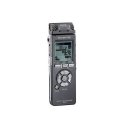


 when before trying it, but it was on sale at Bits du Jour (60% off)