[attachthumb=#]1
This release removes the nagging multi-monitor warning and when the program exits, it will minimize all the target windows in the preview windows instead of showing them. Also, this release was compiled to target the .Net Framework 2.0 instead of .Net Framework 3.0 like in the previous versions. For the end-user, this means that the program will more likely run on Windows computers that don't have the lastest Windows Updates installed.
Confirmed is that Video in Picture 0.2.9 works in both 32-bit and 64-bit Windows computers that can run .Net Framework 2.0 or higher (Vista). Even though this release is only 0.2.9, it is fully featured and I think it is very close to a 1.0 release.
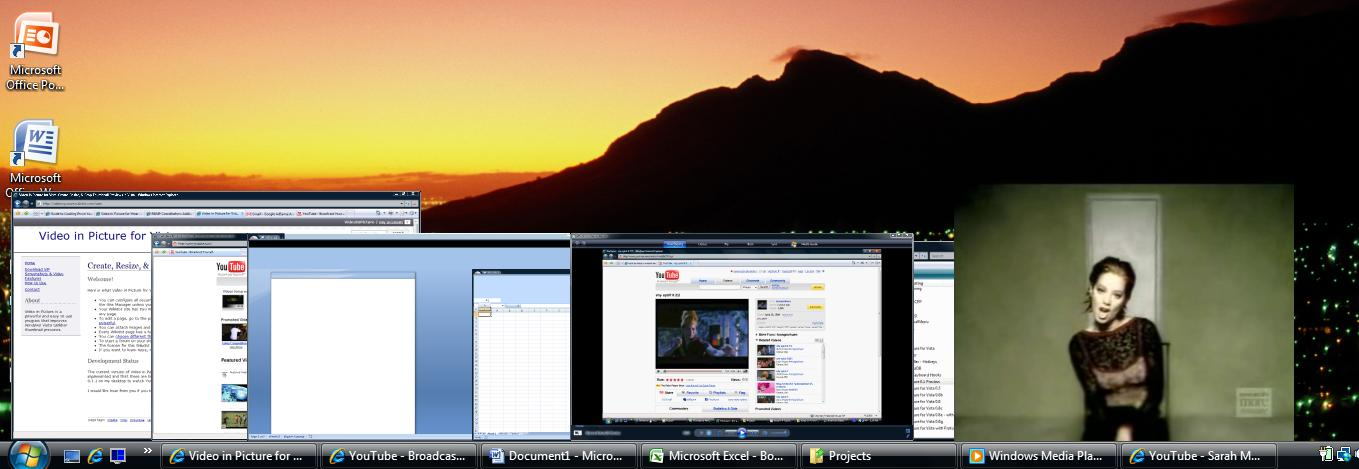
Here is what Video in Picture for Vista allows you to do:
This release removes the nagging multi-monitor warning and when the program exits, it will minimize all the target windows in the preview windows instead of showing them. Also, this release was compiled to target the .Net Framework 2.0 instead of .Net Framework 3.0 like in the previous versions. For the end-user, this means that the program will more likely run on Windows computers that don't have the lastest Windows Updates installed.
Confirmed is that Video in Picture 0.2.9 works in both 32-bit and 64-bit Windows computers that can run .Net Framework 2.0 or higher (Vista). Even though this release is only 0.2.9, it is fully featured and I think it is very close to a 1.0 release.
Here is what Video in Picture for Vista allows you to do:
Quote
Watch videos in a "picture in picture" type box. Very useful for online videos where you have lots of content you don't want to be shown while you watch videos.
Create live thumbnail previews that stay put. Close them by double-clicking on the preview.
Resize the thumbnail previews by dragging the borders.
Crop thumbnail previews by holding down the Ctrl key and dragging the borders. Get rid of all that white space around your YouTube videos you watch!
Move the previews around and dock them to any edge of the screen.
Make the previews stay on top of all other windows.
Make the previews transparent, both visually and to input. This means that you can see through the previews and click on items beneath it! Very useful when you want to watch a video while doing other work in another window.
Create these special thumbnail previews easily by using a tray icon or even easier, by just minimizing the window!