


When I (seldom) go to Start > All Programs, or (almost always) Quick Launch (True Launch Bar) to search for whatever program I am in need of, very often I cannot remember the name of the program in question, or I cannot remember if I am in need of program A, B, or C - because I cannot recall their features!
All shortcuts have this tooltip feature, point to the link and a tooltip can tell you what the linked program can do, but very few programmers use the feature. I also forget myself to type in such informations, when I create the shortcut.
No comments:
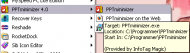
Too little commenting:
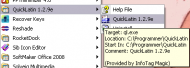
Much better comments:
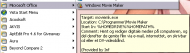
Best comments, but this needed manual text editing because of line breaks
(- and there was too little space to tell about ", photobucket, imagewaste, imagecrack, flickr"):
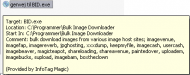
So, my idea is for some app to prompt the Properties > Comments to pop up, whenever a shortcut is created for an exe file. This way, when I find a new program that I would like to test, I can copy the description of the features, from the site, and when the program has been installed and a shortcut must be created, this app 'you' are about to author, will force me to remember to paste that description into Properties > Comments. And from now on and for ever I can merely point at the shortcut and remember what the heck it was that this particular program was supposed to be able to do.
- like this:
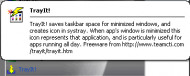
XP can only accept so and so many characters (256?) in a comment, but that is okay, I guess.
What is not okay is, that hard line shifts/
breaks are not accepted. Therefore I would very much prefer the application to remove all such, so I don't need to involve yet another program for this one feature. However, it cannot do so if it will change the clipboard's content.
All shortcuts have this tooltip feature, point to the link and a tooltip can tell you what the linked program can do, but very few programmers use the feature. I also forget myself to type in such informations, when I create the shortcut.
No comments:
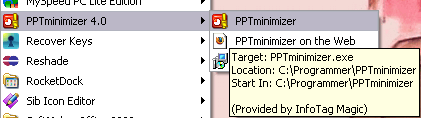
Too little commenting:
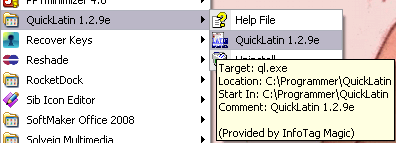
Much better comments:
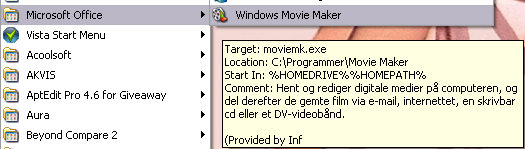
Best comments, but this needed manual text editing because of line breaks
(- and there was too little space to tell about ", photobucket, imagewaste, imagecrack, flickr"):
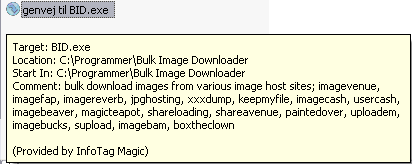
So, my idea is for some app to prompt the Properties > Comments to pop up, whenever a shortcut is created for an exe file. This way, when I find a new program that I would like to test, I can copy the description of the features, from the site, and when the program has been installed and a shortcut must be created, this app 'you' are about to author, will force me to remember to paste that description into Properties > Comments. And from now on and for ever I can merely point at the shortcut and remember what the heck it was that this particular program was supposed to be able to do.
- like this:
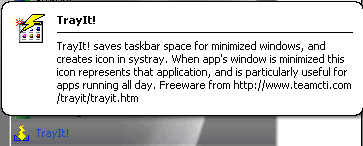
XP can only accept so and so many characters (256?) in a comment, but that is okay, I guess.
What is not okay is, that hard line shifts/
breaks are not accepted. Therefore I would very much prefer the application to remove all such, so I don't need to involve yet another program for this one feature. However, it cannot do so if it will change the clipboard's content.


 Try this one!
 Thank you!