DonationCoder.com forum
 
Read-only archive. This is a static copy of the DonationCoder.com forum. Reading and searching work as before; logging in, posting and private messages do not.
Archive of 2026-10-21 · About this archive · Main site

Author Topic: Firefox Plugin Request: Open dropped local files Using Local Server URL  (Read 13,389 times)

mouser

  • First Author
  • Administrator
  • Joined in 2005
  • *****
  • Posts: 40,931
    • Gathering Badge
    • Plugin Coding Medal
    • Participated in NANY Challenge Seventeen Times
    • Cody Award
    • Coding Snacks
    • Volunteers/Staff
When i do web development i often just want to drag a local file (html,php) from explorer into firefox.

The problem is that this results in firefox opening up file://E:\MyDocs\MyWeb\MyFile.php or something like that.

What i'd love is a firefox extension that keeps a list of mapping like: "E:\MyDocs\MyWeb/ -> http://127.0.0.1/www/"
So that when i drag the file into firefox, it opens up "http://127.0.0.1/www/MyFile.php"

Anyone know of any such existing extension?

lanux128

  • Global Moderator
  • Joined in 2005
  • *****
  • Posts: 6,277
    • Coding Snacks
    • Volunteers/Staff
    • Gathering Badge
    • Participated in NANY Challenge Once
    • Linux User

mouser

  • First Author
  • Administrator
  • Joined in 2005
  • *****
  • Posts: 40,931
    • Gathering Badge
    • Plugin Coding Medal
    • Participated in NANY Challenge Seventeen Times
    • Cody Award
    • Coding Snacks
    • Volunteers/Staff
Holy Cow I'm blown away.  It works.. Kinda perfectly actually.

:-* :-* :-* :-* :-* :-* :-* :-* :-* :-* :-* :-* :-* :-*

Great find lanux! And huge props to the author of this extension.. Truth is I never guessed this would exist.

As the extension page describes, this could be useful for many cases where you want to toggle back and forth between different versions of a website you are working on (test and production versions, etc.).  It support multiple project pairs as well.  Fantastic.

Screenshot - 5_12_2008 , 11_23_31 PM_thumb.png
« Last Edit: May 13, 2008, 04:29 AM by mouser »

lanux128

  • Global Moderator
  • Joined in 2005
  • *****
  • Posts: 6,277
    • Coding Snacks
    • Volunteers/Staff
    • Gathering Badge
    • Participated in NANY Challenge Once
    • Linux User
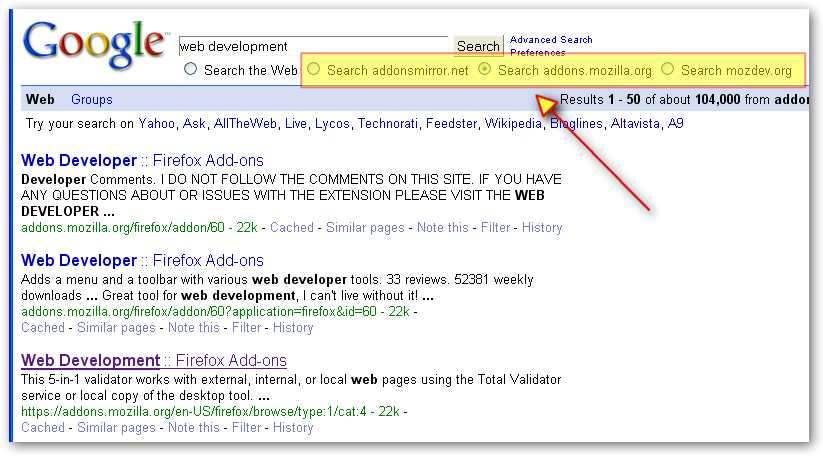
this is where the keyword feature really shines and cue for a mini-tutorial. click this link in firefox then right-click on the search-box and choose "Add a Keyword for this Search...". in the ensuing dialog-box, select a keyword ( i use 'ext') and click ok. now you can type "ext <whatever>" in the location-bar to search for extensions. :)

ws-firefox-ext-quick-search-1_ver001.png

crono

  • Charter Honorary Member
  • Joined in 2005
  • ***
  • Posts: 179
This is so cool - thanks a lot - never thought about such an extension but it saves me a lot of time now  :Thmbsup:

Original address: https://www.donationcoder.com/forum/index.php?topic=13333.0