DonationCoder.com forum
 
Read-only archive. This is a static copy of the DonationCoder.com forum. Reading and searching work as before; logging in, posting and private messages do not.
Archive of 2026-10-21 · About this archive · Main site

Author Topic: customize the 'save as' dialog box  (Read 8,368 times)

kalos

  • Member
  • Joined in 2006
  • **
  • Posts: 1,824
customize the 'save as' dialog box
« on: May 02, 2008, 01:33 PM »
hello

is there a way to customize the 'save as' dialog box?

for example, at the left there is a list of some default folders and I would like this to be dynamic, to show the last used (recent) folders

is there a file manager that has customized 'save as' dialog boxes to replace explorer or any other way?

thanks

jgpaiva

  • Artificial Idiocy
  • Global Moderator
  • Joined in 2006
  • *****
  • Posts: 4,727
    • Cody Award
    • Participated in NANY Challenge Once
    • Coding Snacks
    • Portugal Inhabitant
    • Linux User
Re: customize the 'save as' dialog box
« Reply #1 on: May 02, 2008, 01:57 PM »
I believe you're looking for something like FileBox Extender.
Those are called "dialog extenders". There's even a review right here on DC about it:
Check it out here.

nogojoe

  • Charter Member
  • Joined in 2006
  • ***
  • Posts: 174
Re: customize the 'save as' dialog box
« Reply #2 on: May 02, 2008, 10:06 PM »

Hi

on today at
http://lifehacker.com/

XNeat Boosts "Save As" Options for Document Wrangling
Windows only: Free customization utility XNeat adds a few unique functions to the rich library of tweaking utilities, and some might become must-installs for Windows power-users. The most notable are the additions to the standard "Save As" dialog: an option to create a numbered "clone" file when you're about to save over an existing document (i.e. "Paper(1).doc"), and a time-stamping utility that adds numbered dates to filenames automatically. XNeat also lets you enable drag-and-drop taskbar re-ordering, giving you your preference of left-to-right app layout, and a full set of windows management tools, including transparency and system tray docking. XNeat is a free download for Windows XP and Vista only.
Xneat [via FreewareGenius.com]

The two “save as“ add ons are handy maybe not quite you want.
nogojoe
Often the most convincing people are those who have lost the plot so much they don't recognize the difference between fact and fantasy

lanux128

  • Global Moderator
  • Joined in 2005
  • *****
  • Posts: 6,277
    • Coding Snacks
    • Volunteers/Staff
    • Gathering Badge
    • Participated in NANY Challenge Once
    • Linux User
Re: customize the 'save as' dialog box
« Reply #3 on: May 03, 2008, 03:24 AM »
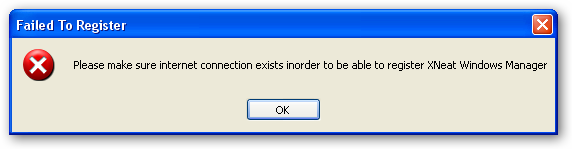
Xneat sounds neat but i had run into a problem which i mentioned here previously. i wonder if that behaviour is gone.


edit: @kalos: check out this thread also for more ideas. Revisiting (XfilesDialog, File-Ex, Direct Folders).
« Last Edit: May 03, 2008, 03:30 AM by lanux128 »

kimmchii

  • Honorary Member
  • Joined in 2005
  • **
  • Posts: 360
Re: customize the 'save as' dialog box
« Reply #4 on: May 03, 2008, 07:23 AM »
for xp you can use powertoy, it lets you customize the folders.
If you find a good solution and become attached to it, the solution may become your next problem.
~Robert Anthony

Original address: https://www.donationcoder.com/forum/index.php?topic=13234.0