DonationCoder.com forum
 
Read-only archive. This is a static copy of the DonationCoder.com forum. Reading and searching work as before; logging in, posting and private messages do not.
Archive of 2026-10-21 · About this archive · Main site

Author Topic: Organizational question  (Read 5,034 times)

jpprater

  • Supporting Member
  • Joined in 2006
  • **
  • Posts: 90
    • Participated in NANY Challenge Once
Organizational question
« on: February 15, 2008, 10:15 PM »
I would really like to be able to tag certain files that I have in Windows XP, mostly to make it easier to search for those files.  Does anyone know of any WinXP software that would let me do that?

Jon P.

Veign

  • Charter Honorary Member
  • Joined in 2005
  • ***
  • Posts: 993
    • Gathering Badge
    • Participated in NANY Challenge Twice
Re: Organizational question
« Reply #1 on: February 15, 2008, 10:38 PM »
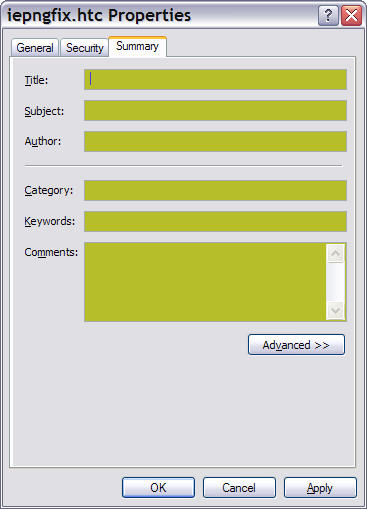
What about using the Summary tab on the right-click properties of a file?.

Armando

  • Charter Member
  • Joined in 2005
  • ***
  • Posts: 2,727
    • Coding Snacks
Re: Organizational question
« Reply #2 on: February 18, 2008, 04:47 AM »
There are a number of threads on that subject (one I started myself : http://www.donationcoder.com/forum/index.php?topic=10469.0, and other ones like : http://www.donationcoder.com/forum/index.php?topic=7469.0 ) .

Usually, the consensus is that there are no great and infallible (portable, robust, etc.) ways of tagging on windows XP, and the summary tab found in the file's property can unfortunately be pretty unreliable (not accessible under certain circumstances) and not that convenient to use -- edit, modify, search with a desktop search program, etc.

As for software, there's tag2find (the best tagging software I found) but it might disappear or go open source soon... There may are other solutions too, but I stopped searching once I decided to adopt a solution... after much thinking and pondering I now use a system which integrates tags in filenames. Yup, pretty straightforward, if you're careful with path length. I use AutoHotkey to implement that (but any software to systematize your file names would do; ie : direct access, intellicomplete).
"I suppose it can be said that I'm an absent-minded driver. It's true that I've driven through a number of red lights on occasion, but on the other hand, I've stopped at a lot of green ones but never gotten credit for it."
Glenn Gould

Original address: https://www.donationcoder.com/forum/index.php?topic=12315.0