


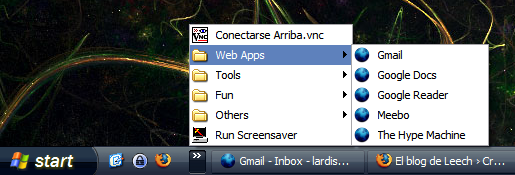
It's a stupid tip, but could help some people keep their quick launch organized using folders.
Really simple.
Just go to:
C:\Documents and Settings\{USER}\Application Data\Microsoft\Internet Explorer\Quick Launch
(replace {USER} with your Windows User)
And start creating folders and add shortcuts or programs inside.
It will look like this:
Really simple.
Just go to:
C:\Documents and Settings\{USER}\Application Data\Microsoft\Internet Explorer\Quick Launch
(replace {USER} with your Windows User)
And start creating folders and add shortcuts or programs inside.
It will look like this:








