DonationCoder.com forum
 
Read-only archive. This is a static copy of the DonationCoder.com forum. Reading and searching work as before; logging in, posting and private messages do not.
Archive of 2026-10-21 · About this archive · Main site

Author Topic: Bug / Issue — Paste of Images Changes their Aspect Ratio  (Read 7,948 times)

nontroppo

  • spinning top
  • Charter Honorary Member
  • Joined in 2005
  • ***
  • Posts: 649
Bug / Issue — Paste of Images Changes their Aspect Ratio
« on: October 16, 2005, 05:50 PM »
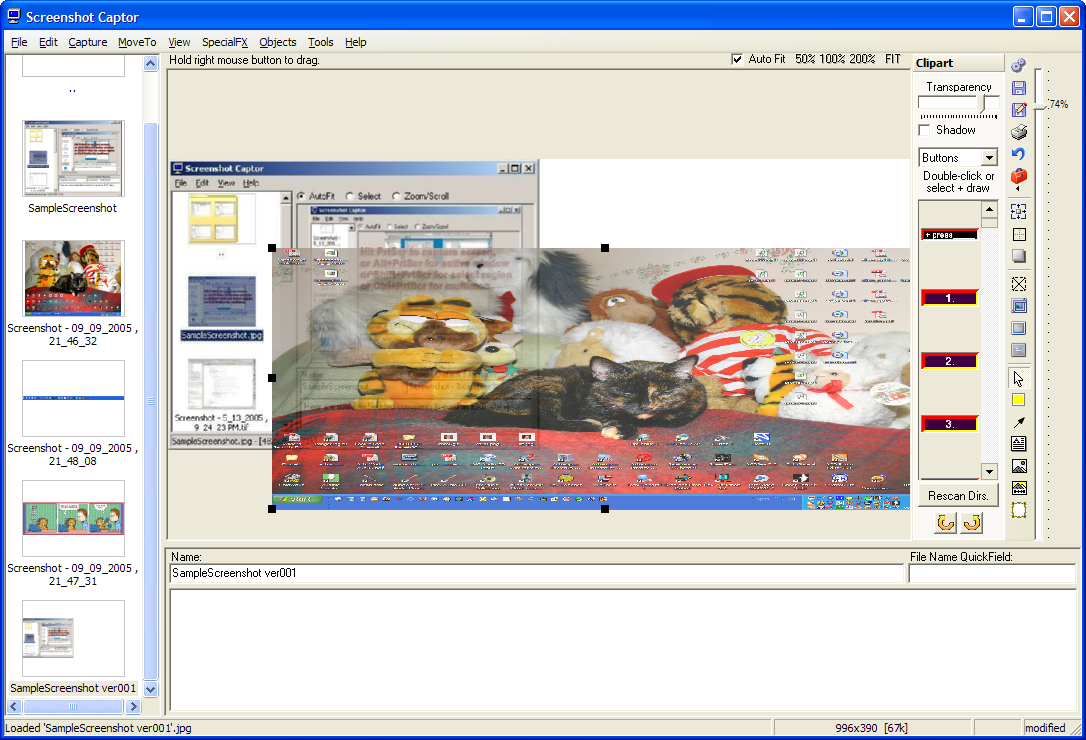
I was making a screenshot where I wanted to add together two screenshots (before/after) of a window into one screenshot. I made the first shot, then the second. I then changed canvas size of the second shot to be double the width, then selected all of the first shot, copy to clipboard, then paste into the second shot. First it didn't work, so I tried selecting, then it pasted, but not in my selection and it changed the aspect ratio of the first shot distorting it! I would like that copied images retain their aspect ratio and don't distort when being pasted as objects.

Oh, and screenshot captor rocks  :-* btw (not having frequented this forum yet)! ;)

Carol Haynes

  • Waffles for England (patent pending)
  • Global Moderator
  • Joined in 2005
  • *****
  • Posts: 8,073
    • Cody Award
    • Furry Fandom Badge - Furry Fandom
Re: Bug / Issue — Paste of Images Changes their Aspect Ratio
« Reply #1 on: October 18, 2005, 11:43 AM »
Yes I get the same thing ...

Here is an example shot ...

Carol Haynes

  • Waffles for England (patent pending)
  • Global Moderator
  • Joined in 2005
  • *****
  • Posts: 8,073
    • Cody Award
    • Furry Fandom Badge - Furry Fandom
Re: Bug / Issue — Paste of Images Changes their Aspect Ratio
« Reply #2 on: October 18, 2005, 12:03 PM »
Actually - slightly mea culpa - but still a bug in there:

The above images were different sizes - still doesn't explain why the aspect ratio was destroyed though.

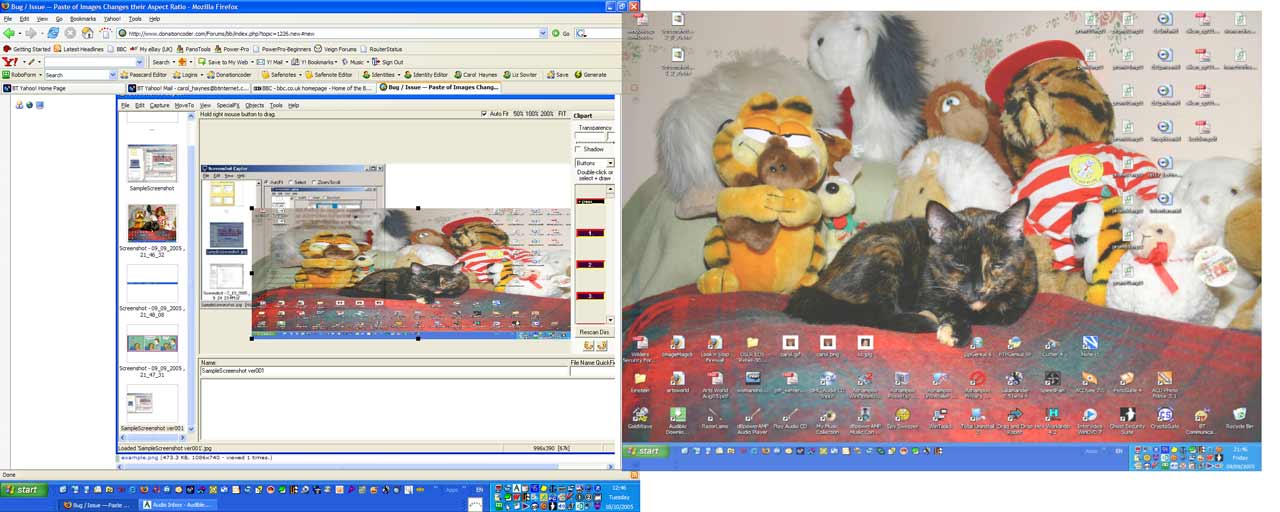
However, the following image is two full screens joined (identical orginal sizes). I doubled the canvas width and cut/psted using the SC edit menu.

The right hand image should be identical in size to the left hand image, but is in fact slightly smaller. Aspect ratio however is preserved.

Strange ...

Also I noticed moving larger objects (like whole screen shots) is really slugish (like move about wait 20 seconds, move another bit ...)

mouser

  • First Author
  • Administrator
  • Joined in 2005
  • *****
  • Posts: 40,931
    • Gathering Badge
    • Plugin Coding Medal
    • Participated in NANY Challenge Seventeen Times
    • Cody Award
    • Coding Snacks
    • Volunteers/Staff
Re: Bug / Issue — Paste of Images Changes their Aspect Ratio
« Reply #3 on: October 18, 2005, 12:50 PM »
yeah, its really not very good at moving such large images :(

i'll check out the aspect ratio thing - i was actually thinking of adding some functions that would help automate some of these processes like placing two images side by side, etc.

mouser

  • First Author
  • Administrator
  • Joined in 2005
  • *****
  • Posts: 40,931
    • Gathering Badge
    • Plugin Coding Medal
    • Participated in NANY Challenge Seventeen Times
    • Cody Award
    • Coding Snacks
    • Volunteers/Staff
Re: Bug / Issue — Paste of Images Changes their Aspect Ratio
« Reply #4 on: October 22, 2005, 02:11 PM »
i think it was shrinking one dimension to fit it in screen and not both - i'll fix that.

Original address: https://www.donationcoder.com/forum/index.php?topic=1226.0