DonationCoder.com forum
 
Read-only archive. This is a static copy of the DonationCoder.com forum. Reading and searching work as before; logging in, posting and private messages do not.
Archive of 2026-10-21 · About this archive · Main site

Last post Author Topic: Best password manager?  (Read 163,337 times)

Renegade

  • Tell me something you don't know...
  • Charter Member
  • Joined in 2005
  • ***
  • Posts: 13,291
    • Participated in NANY Challenge Three Times
    • Furry Fandom Badge - Furry Fandom
    • Linux User
Re: Best password manager?
« Reply #75 on: January 30, 2008, 05:00 AM »
I have been ITCHING to get back into this thread for a LONG LONG time!

(DISCLAIMER: For anyone that doesn't know, I work for ESTsoft, the company that makes the products I'm talking about here.)

Anyways... ALPASS ONLINE! I think a few people might like it or the general idea at least.

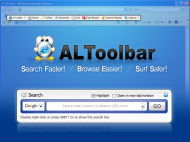
We've FINALLY managed to get the new web site online and that includes ALToolbar being released. (Still tweaks to get done in the site, but whatever -- it's up!)

In any event, I'm getting ahead of myself here...

ALPass Online is basically ALPass inside of ALToolbar. But this time around, you can store all your logins online and access them through ALToolbar from anywhere on any computer. (Windows & IE only)

So, instead of being locked downd to 1 computer with the software on it, or bothering to carry a USB drive/key around, you can simply carry around 1 password in your head to get into your logins & passwords from anywhere. A bit lighter and easier.

I know someone's going to ask about security --- SSL connections for ALToolbar, and all encryption is done client side with a shared secret so that ALToolbar can authenticate users. Basically that means that we don't have your password at any time. The downside is that since you're the only one with the password, if you lose it, all your data is lost forever as well. Encryption is ARIA 256. (Similar to AES 256. It's a block cipher.)

This is just v1.13 right now, and there's more stuff coming into ALToolbar and ALPass Online, but in any event, if you have the time and inclination, let me know what you think of it. If you want, you can post in the ALTools forums or here. I read both. ;)


Slow Down Music - Where I commit thought crimes...

Freedom is the right to be wrong, not the right to do wrong. - John Diefenbaker

rjbull

  • Charter Member
  • Joined in 2005
  • ***
  • Posts: 3,217
Re: Best password manager?
« Reply #76 on: January 30, 2008, 09:47 AM »
ALToolbar being released.
[...]

[ text re-ordered ]
So, instead of being locked downd to 1 computer with the software on it,

(Windows & IE only)

But you're still locked down to one browser.  Come on, support Firefox at least!

Edit:  Afterthought.  Couldn't you make a Firefox extension, like Roboform and EverNote do?

« Last Edit: January 30, 2008, 10:37 PM by rjbull »

justice

  • Solve issues simply.
  • Supporting Member
  • Joined in 2006
  • **
  • Posts: 1,898
    • Participated in NANY Challenge Four Times
    • Cody Award
    • Coding Snacks
    • DJ Badge - DJ
Re: Best password manager?
« Reply #77 on: January 30, 2008, 10:29 AM »
AlToolbar looks like the perfect alternative to Roboform, if it was only working with firefox too (based on the featurelist). Having it automatically offer to save passwords and fill them in is what makes roboform such a joy to use. What I disliked about Keepass and all other password managers is that you login to a website and then have to type in the login again in the password manager to save it. Also the hassle of having to open the password manager, find the password and then copy/paste it or drag/drop it in the form is really tiresome. Roboform does all that for you and it looks like Altoolbar will too. Actually it looks like AlPass does all this too. :)

lanux128

  • Global Moderator
  • Joined in 2005
  • *****
  • Posts: 6,277
    • Coding Snacks
    • Volunteers/Staff
    • Gathering Badge
    • Participated in NANY Challenge Once
    • Linux User
Re: Best password manager?
« Reply #78 on: January 30, 2008, 01:14 PM »
rjbull & justice: do pester Renegade to include Firefox support here. :)


• ALToolbar Improves Internet Search, Speed and the Online Experience

justice

  • Solve issues simply.
  • Supporting Member
  • Joined in 2006
  • **
  • Posts: 1,898
    • Participated in NANY Challenge Four Times
    • Cody Award
    • Coding Snacks
    • DJ Badge - DJ
Re: Best password manager?
« Reply #79 on: January 30, 2008, 01:33 PM »
Are these password managers browser specific because of the "autologin" and "autosave" features or could a general pwm be made that works for all apps? Just wondering what the underlying reason is.

rjbull

  • Charter Member
  • Joined in 2005
  • ***
  • Posts: 3,217
Re: Best password manager?
« Reply #80 on: January 30, 2008, 03:00 PM »
What I disliked about Keepass and all other password managers is that you login to a website and then have to type in the login again in the password manager to save it.

Not sure I know what you mean there.  If I'm setting up a new loginID, I open KeePass and set the password there, then I'm OK?

Quote
Also the hassle of having to open the password manager, find the password and then copy/paste it or drag/drop it in the form is really tiresome.

Check out this bit of KeePass's Help:

Quote

Auto-Type: Powerful feature that sends keypresses to other applications. 
Invoking Auto-Type
Global Auto-Type Hot Key
Auto-Type Keystroke Sequences
Target Window Filters

It means that if you have the window title correctly set in KeePass, you can put the cursor on the first box in your browser and press the global hotkey.  KeePass pops up, asks for its master password; when that's entered, it fills in the data automatically without you needing to search for the entry.


justice

  • Solve issues simply.
  • Supporting Member
  • Joined in 2006
  • **
  • Posts: 1,898
    • Participated in NANY Challenge Four Times
    • Cody Award
    • Coding Snacks
    • DJ Badge - DJ
Re: Best password manager?
« Reply #81 on: January 30, 2008, 03:37 PM »
I mean usually I think to remember a password just after i entered it as mentally I remember the details when I see the website (visually). So I've just logged in and then want to save the passwords to the manager. I'm not going to sit down and enter 20 passwords then go to the sites and use them. So in any other program than Roboform (as only it detects that you just logged into something) I do extra work for no benefit. Maybe that's just me? I'd like to see other managers to make it easy or easier.

Benefit of Keepass's autotype seems to be it's application independent :)

NunYoBusiness

  • Supporting Member
  • Joined in 2008
  • **
  • Posts: 1
Re: Best password manager?
« Reply #82 on: January 30, 2008, 04:11 PM »
I have used roboform since the first release, after tryin several others, after many browser crashes usin the other programs I went with roboform and have used it exclusively since then.  :Thmbsup:

rjbull

  • Charter Member
  • Joined in 2005
  • ***
  • Posts: 3,217
Re: Best password manager?
« Reply #83 on: January 30, 2008, 10:34 PM »
I mean usually I think to remember a password just after i entered it as mentally I remember the details when I see the website (visually). So I've just logged in and then want to save the passwords to the manager.

I think I see what you mean...  I've got into the habit of, whenever I first sign up, setting up the loginID in KeePass then and there, so I don't have to remember anything afterwards (except to back up the KeePass database).

justice

  • Solve issues simply.
  • Supporting Member
  • Joined in 2006
  • **
  • Posts: 1,898
    • Participated in NANY Challenge Four Times
    • Cody Award
    • Coding Snacks
    • DJ Badge - DJ
Re: Best password manager?
« Reply #84 on: January 31, 2008, 12:20 AM »
I just bought Roboform via Trialpay + eMusic.. 75 songs + roboform for £0.99 :D Couldn't resist that offer.

4wd

  • Pedantic Old Bastard
  • Supporting Member
  • Joined in 2006
  • **
  • Posts: 5,652
    • Coding Snacks
Re: Best password manager?
« Reply #85 on: February 08, 2008, 09:34 AM »
I use Firefox v3/Thunderbird v2, (both portable editions), I use their inbuilt password manager with a master password.

I just copy the Firefox/Thunderbird directories to a Flash drive and use on another computer - no other software required.

IIRC, the password manager in both of these are akin to unix account password management, the setting of the master password basically means you've lost your stored passwords if you forget it - it's also extremely secure.

So why would anyone want/need yet another program they have to remember a password for, (ie. the password manager) ?
"I will not follow where the path may lead, but I will go where there is no path, and I will leave a trail." - Muriel Strode, 1903

f0dder

  • [Well, THAT escalated quickly!]
  • Charter Honorary Member
  • Joined in 2005
  • ***
  • Posts: 9,153
    • Participated in NANY Challenge Once
Re: Best password manager?
« Reply #86 on: February 08, 2008, 12:09 PM »
IIRC, the password manager in both of these are akin to unix account password management, the setting of the master password basically means you've lost your stored passwords if you forget it - it's also extremely secure.

How is that akin to unix account password management? Those don't work with a "master password", each user password is stored separately, usually as the md5sum of {salt,password} where salt is a 12-bit (iirc) random number.
- carpe noctem

Josh

  • Charter Honorary Member
  • Joined in 2005
  • ***
  • Posts: 3,411
    • Gathering Badge
    • Official Forum Clown
    • Coding Snacks
    • Plugin Coding Medal
    • Volunteers/Staff
    • Military Service Badge - US Army
    • Furry Fandom Badge - Furry Fandom
    • Linux User
Re: Best password manager?
« Reply #87 on: February 08, 2008, 12:56 PM »
4wd: What if you dont use firefox or thunderbird? What if you have other passwords you want to remember? What if you have network passwords for your job, what about combos to a safe? I can do all of this in roboform.
Strength in Knowledge

4wd

  • Pedantic Old Bastard
  • Supporting Member
  • Joined in 2006
  • **
  • Posts: 5,652
    • Coding Snacks
Re: Best password manager?
« Reply #88 on: February 08, 2008, 11:56 PM »
IIRC, the password manager in both of these are akin to unix account password management, the setting of the master password basically means you've lost your stored passwords if you forget it - it's also extremely secure.

How is that akin to unix account password management? Those don't work with a "master password", each user password is stored separately, usually as the md5sum of {salt,password} where salt is a 12-bit (iirc) random number.

I did say "akin", ie. similar in that they are very secure due to the encrypted way in which password info is stored, very hard to bruteforce.  Not because it requires a master password.
"I will not follow where the path may lead, but I will go where there is no path, and I will leave a trail." - Muriel Strode, 1903
« Last Edit: February 09, 2008, 12:09 AM by 4wd »

4wd

  • Pedantic Old Bastard
  • Supporting Member
  • Joined in 2006
  • **
  • Posts: 5,652
    • Coding Snacks
Re: Best password manager?
« Reply #89 on: February 09, 2008, 12:36 AM »
4wd: What if you dont use firefox or thunderbird?

Ahh well, you're already behind the eight-ball then  :D

Quote
What if you have other passwords you want to remember? What if you have network passwords for your job, what about combos to a safe? I can do all of this in roboform.

What if there's no computer next to the safe, your laptop's battery is flat and there's no power point near?

Didn't think of the network password bit, although when I did work, (retired), we were required to use a username/password to use the corp's network which required a change of password every month, (which contrary to everyone else I think is a stupid requirement).

Trouble with the corp network was everyone hated it, so everyone's password was 'yearmonth', eg. 1998janu

Old blog but true: http://blogs.technet.com/robert_hensing/archive/2004/07/28/199610.aspx

Then again maybe all our passwording will become redundant: http://technology.newscientist.com/article.ns?id=dn12825  ;)

BTW, Equilibrium is a really excellent movie.  :Thmbsup:
"I will not follow where the path may lead, but I will go where there is no path, and I will leave a trail." - Muriel Strode, 1903
« Last Edit: February 09, 2008, 12:52 AM by 4wd »

blackcat

  • Participant
  • Joined in 2007
  • *
  • Posts: 62
Re: Best password manager?
« Reply #90 on: March 22, 2009, 06:30 AM »
This is old discussion but I dont want to post new topic so I thought of posting it here.

Lately I'm on 'quest' searching for alternatives to KeePass Password Manage due to continious frustration with KeePass for lacking tagging support feature like one we have in gmail. I used to bring up this idea at KeePass forum but it didnt get much positive feedbacks to support the suggestion, maybe they feel more comfortable with password grouping idea  :down:

It seems that v2 also getting screwed up with useless features that they keep adding to it


allen

  • Charter Member
  • Joined in 2006
  • ***
  • Posts: 1,206
    • Participated in NANY Challenge Once
    • Cody Award
    • Programming School - Deluxe Bonus Medal
    • Military Service Badge - US Navy
    • Linux User
    • Writer
Re: Best password manager?
« Reply #91 on: March 22, 2009, 02:35 PM »
I haven't tried KeePass, so I can't make any comparisons.  Personally I use/love Passpack.  It's a web based/online password manager (encryption is all handled locally via JavaScript, though). There are also google gears and adobe air apps for offline/desktop access.

I've been reading some good things about LastPass lately, might be worth a look. Its form filler works well, but I really didn't care for the web interface at all.

cyberdiva

  • Supporting Member
  • Joined in 2006
  • **
  • Posts: 1,041
Re: Best password manager?
« Reply #92 on: March 22, 2009, 03:30 PM »
I've been reading some good things about LastPass lately, might be worth a look. Its form filler works well, but I really didn't care for the web interface at all.

I just took a look at the LastPass website, since I'd love to find a password manager that will work with Opera in a way similar to RoboForm.  However, from what I can tell, all my passwords would be stored remotely on the LastPass site.  Thus, I have to trust LastPass not to misuse that information, not to be unavailable, and not to be hacked.  That's probably more trust than I'm comfortable with.  Did I misunderstand something?

allen

  • Charter Member
  • Joined in 2006
  • ***
  • Posts: 1,206
    • Participated in NANY Challenge Once
    • Cody Award
    • Programming School - Deluxe Bonus Medal
    • Military Service Badge - US Navy
    • Linux User
    • Writer
Re: Best password manager?
« Reply #93 on: March 22, 2009, 03:53 PM »
Down time is a real issue -- but you shouldn' thave to worry about data being misused as it's encrypted/decrypted on your machine. The data sent to/stored on the server is gibberish.

redstarnyc

  • Supporting Member
  • Joined in 2008
  • **
  • Posts: 33
Re: Best password manager?
« Reply #94 on: March 22, 2009, 09:09 PM »
I really like Lastpass.  I've been using the betas for a while and I've been pretty pleased.  There have been some hiccups in the different builds, but overall its been solid.  I haven't been hit by any downtime and I like the ability to get to my passwords no matter where I am.  It works with IE and Firefox, which is a must for me at work.
RedstarNYC

40hz

  • Supporting Member
  • Joined in 2007
  • **
  • Posts: 11,861
Re: Best password manager?
« Reply #95 on: March 22, 2009, 09:13 PM »
Am I the only person in the world that has a real problem  :'( with storing a password list online, no matter who with? I don't even allow my e-mail client or browser to remember them.

cranioscopical

  • Friend of the Site
  • Supporting Member
  • Joined in 2006
  • **
  • Posts: 4,776
    • Cody Award
    • Official Forum Clown
    • rotten turkey sandwich - Rotten Turkey Sandwich
Re: Best password manager?
« Reply #96 on: March 22, 2009, 09:29 PM »
m I the only person in the world that has a real problem  :'( with storing a password list online

I'm with you!

I have a real problem with storing just about anything online.

I could keep a copy of my information nailed to the telephone pole at the foot of my driveway, but I don't think that's a good idea either...

Chris

cyberdiva

  • Supporting Member
  • Joined in 2006
  • **
  • Posts: 1,041
Re: Best password manager?
« Reply #97 on: March 22, 2009, 10:59 PM »
Am I the only person in the world that has a real problem  :'( with storing a password list online, no matter who with? I don't even allow my e-mail client or browser to remember them.

I too have real reservations about doing so--that's why I asked the question about LastPass.  I've never taken advantage of any opportunities to store my info on the web, be it something as trivial as bookmarks or as potentially serious as passwords.  I've felt that the convenience is probably outweighed by the risks.  However, allen's response about LastPass makes me wonder whether that might be an exception.

f0dder

  • [Well, THAT escalated quickly!]
  • Charter Honorary Member
  • Joined in 2005
  • ***
  • Posts: 9,153
    • Participated in NANY Challenge Once
Re: Best password manager?
« Reply #98 on: March 22, 2009, 11:46 PM »
Am I the only person in the world that has a real problem  :'( with storing a password list online, no matter who with? I don't even allow my e-mail client or browser to remember them.
I'm with you. I'd never trust my passwords to an online entity (well, storing an encrypted document that I have complete control of would work).
- carpe noctem

Perry Mowbray

  • N.A.N.Y. Organizer
  • Charter Member
  • Joined in 2005
  • ***
  • Posts: 1,817
    • Participated in NANY Challenge Three Times
    • Plugin Coding Medal
Re: Best password manager?
« Reply #99 on: March 23, 2009, 03:22 AM »
I too have real reservations about doing so--that's why I asked the question about LastPass.  I've never taken advantage of any opportunities to store my info on the web, be it something as trivial as bookmarks or as potentially serious as passwords.  I've felt that the convenience is probably outweighed by the risks.  However, allen's response about LastPass makes me wonder whether that might be an exception.

I use Roboform Portable when I'm out and about, which works well; but I liked the look of LastPass because of the added cross browser benefits.

Reading about the manner in which they store and encrypt my data made it sound essentially the same as RoboForm on my USB? Would appreciate being proved wrong if I was  :)

If that is the case, then I'm not sure there is an issue with LastPass?

Original address: https://www.donationcoder.com/forum/index.php?topic=11054.0