thats a neat idea.
Re: FARR v2 - Official Bug Tracking and Feature Request Thread
« Reply #50 on: January 06, 2011, 09:43 PM »


 Topic: FARR v2 - Official Bug Tracking and Feature Request Thread (Read 155,094 times)


Find&Run Robot
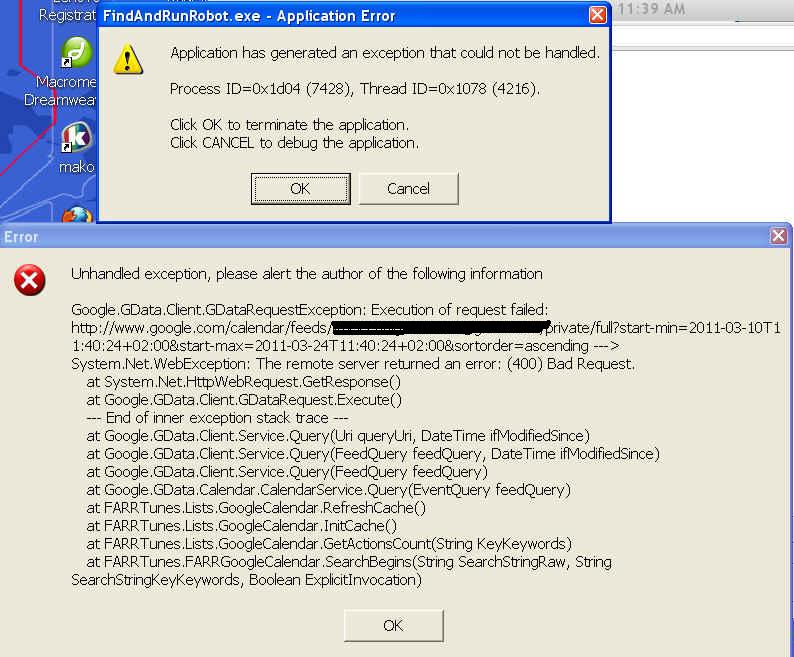
Find&Run Robot has stopped working
Windows is checking for a solution to the problem...
Did you copy over settings from a previous install?Yes, I did.
Try deleting all of the files in the FindAndRunRobot Programs directory, and in the FindAndRunRobot subdirectory in your documents area and then reinstalling.Many thanks! That did it!

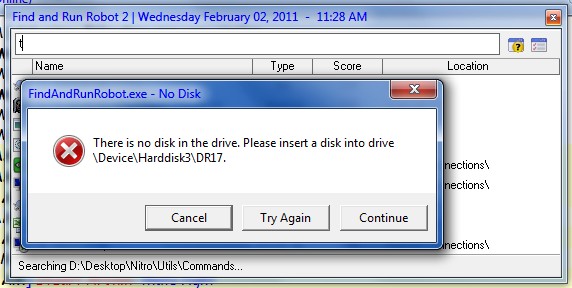
thanks for the bug reports dnknitro, all seem reasonable and accurate.parameters case is fixed, thanks. However, another, more annoying, bug with "No Disk" error is still present - see attachment.
the only one that i think is not a bug is:QuoteOne more issue - is there a possibility to ultimately disable FARR's search through the all disks in the system? I would like to make FARR search _only_ within folders, defined in the Program Options->Lists->Search Folders?
farr will only search those folders.. something else must be happening if it is searching elsewhere.. maybe because of an item in your history.
after new year i will release some substantial farr updates, so hang on until then!


the option "Shell Context Menu.." could be replaced with ""Shell Context Menu.. Ctrl+P"excellent idea, will add.
Is it possible to search/launch Opera or Chrome bookmarks?there is a plugin called FarrFox that can search ie/ff (with tweak)/opera bookmarks. maybe chrome can be added.

On specific Folders that I have text files, I would like to have the option to search the content of the file as well. (maybe with a keyword modifier). Example: When searching "Fight Club" I would like to get the result :"C:\my .txt\My Movies.txt

Original address: https://www.donationcoder.com/forum/index.php?topic=10533.0