SQLN site seems to be down (here anyways)
Server Error in '/' Application.
Runtime Error etc.
Fixed


 Topic: SQLNotes...what is it exactly? (Read 1,173,506 times)


SQLN site seems to be down (here anyways)
Server Error in '/' Application.
Runtime Error etc.

 )
) 
are images supported in regular html export ? (is it that you can export as mht file?)
or does one need "Word 2002 and up or BlockNote" for that

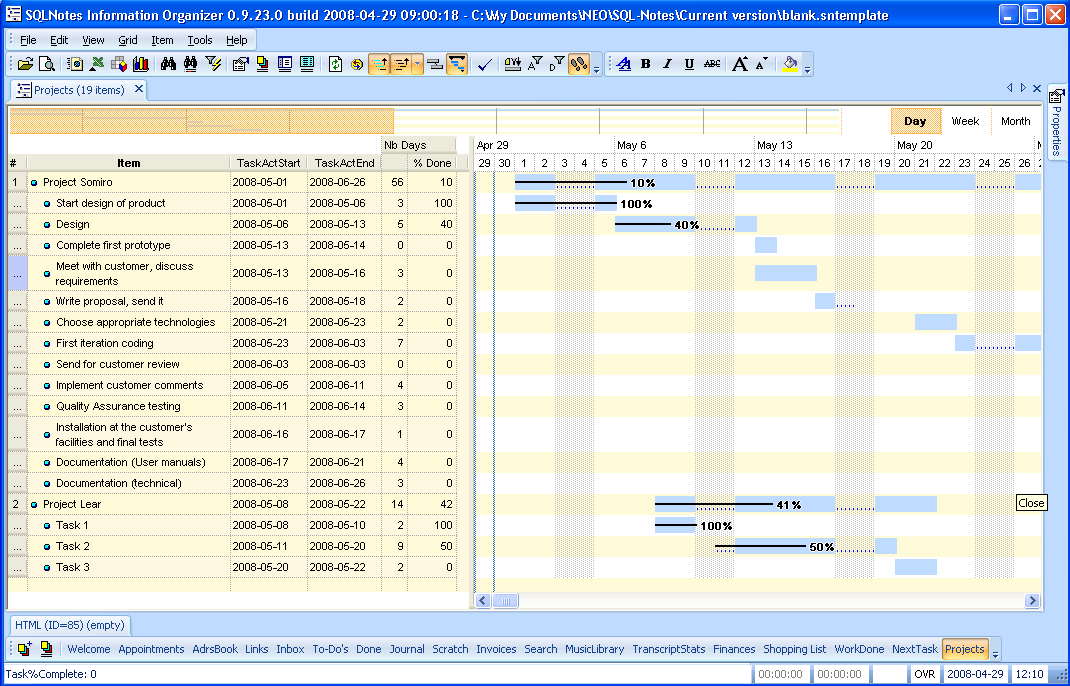
Gantt charts!! That is so awesome.It has been promised a long time ago, so I'm very happy to finally deliver it.
OK, I was trying out the Gantt charts. I got a couple of errors when I tried to create the default configuration (using the Gantt wizard that pops up). I used the default button, but my columns did not get added automatically (I don't know if they were supposed to). Also, that top bar that shows the overall schedule (in your screenshot above) didn't show on mine. Also, how do we edit and change the details of each item in the Gantt chart?No columns are not added to the grid (perhaps I can add an option). Editing can be done completely with the Gantt, so they are not required. Simply drag-drop from the properties pane if you want them.
Feature request:Yes, this is a great idea. I too find it annoying to move panes around (less so with a second 20"monitor
Since this program is now getting more modules and capabilities, I think it might be important to have layout control per each grid. For example, in a grid with a Gantt chart, I'll probably want to dock my notes on the bottom instead of the side, so the chart will have more room. But in other grids, I want the notes on the side. Instead of turning them on and off all the time, it would be highly useful to set a default layout for each grid. Other similar situations involve grids with pivot tables.
 )
)

OK, thanks (I should probably add that to Mantis).The Gantt capabilities, combined with SQLNotes engine will allow for some pretty nice project management. This is the first cut at it. Coming after off-line mode and calendar are:
I'll experiment more with the Gantt charts later. I'm sure you are aware, but by adding Gantt charts, there are a whole bunch of details in the way the schedules are setup. Things like creating a work days vs total days schedule, dependancies, etc. I'm not sure how much functionality your chart has vs something like MS Project. How bold of you to even include it!


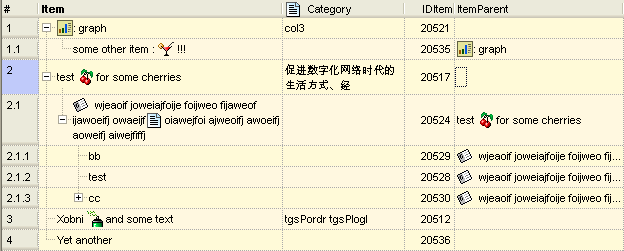
Icons are coming soon to a Grid near you
(see attachment in previous post)
Two types:
- Item icon, shown left of the item text. Can filter for a specific icon. Possibility to have it dynamically attributed (i.e. when a task is late, the icon automatically changes to a red exclamation mark, or when a number is negative, etc
- Within the item text. Place bitmaps anywhere in the cell.
Users will be able to add icons, simply by adding icon and bitmap files in icon specific folders
Version 0.9.23.2 is now available for download
...
Download it here

SQLNotes Installer version 0.9.23.2 7.19 MB 5/16/2008 16h00 EST. SQLNotes version 0.9.23.2 Installer. Please uninstall previous version.
Pierre -
I have been trying to reach you at the betasupport address that's on your website, but I'm getting a message that there's an SMTP problem with your server. I am doing a presentation on personal information organizing software to a group of librarians in 2 weeks. I would like to give them a peek and overview of SQL Notes, since so many people here like it. However, I have questions for you, since I don't use it myself, and I need your explicit permission for a couple quotes I would like to use. Is there another email address I can use? I don't use Outlook Express - is that what's causing the problem?

Rather long and tedious for others here, I thought.
Are you sure you have read this thread?
Nothing to do with SQLnotes can be too long or tedious for us.

SQLNotes (will be renamed, to perhaps SliceAndDice or Dimension)any comments on those names?
 or, post here on the SQLNotes New Name thread
Original address: https://www.donationcoder.com/forum/index.php?topic=10432.0