DonationCoder.com forum
 
Read-only archive. This is a static copy of the DonationCoder.com forum. Reading and searching work as before; logging in, posting and private messages do not.
Archive of 2026-10-21 · About this archive · Main site

Author Topic: REQUEST: Program that deletes all files/subdirectories in a directory...  (Read 25,699 times)

Zero3K

  • Charter Member
  • Joined in 2005
  • ***
  • Posts: 316
...or directories that are older than a certain amount of time without displaying any windows. The only freeware program I know that does some of what I'm requesting is e.Purge (unfortunately, it seems that the developer of it gave up on developing it further).

Ralf Maximus

  • Supporting Member
  • Joined in 2007
  • **
  • Posts: 927
    • Coding Snacks
Here ya go.  Something I picked up way back in the summer of '06.

Zero3K

  • Charter Member
  • Joined in 2005
  • ***
  • Posts: 316
That's not what I was asking for. That program just deletes folders that are already empty.

Ralf Maximus

  • Supporting Member
  • Joined in 2007
  • **
  • Posts: 927
    • Coding Snacks
Whoops, my bad.  I misread your request.

Erm... DEL /S /Q *.* gets rid of the files, then RMEMP12 does the rest...

/got nuthin

Target

  • Honorary Member
  • Joined in 2006
  • **
  • Posts: 1,840
    • Coding Snacks
how about this then...

Quote
DelAge32 deletes or moves files with a mimimum age given by the number of days.
Syntax:  DelAge32 filespec days [options]

The files are specified by search pattern (e.g. *.* for all files), with relative or absolute path.

Options include: /recurse (subdirectories), /subonly (excluding initial directory), /includeRO, /rd (remove directory), /move target, /created (use "created" time stamp instead "last modified"), /accessed ..

Example:  DelAge32 C:\some\where\*.* 100 /recurse

Deleted files are listed with age (number of days). The output can be redirected to a file.
With option /preview the action can be safely tested without actually deleting or moving files.

http://home.mnet-online.de/horst.muc/wbat32.htm#top

maybe not an exact fit, but it's small, and free...
Alcohol is photoshop, bottled
Askhole - someone who ask for advice, then ignores it
"Look wise, say nothing, and grunt. Speech was given to conceal thought" - Sir William Osler

Zero3K

  • Charter Member
  • Joined in 2005
  • ***
  • Posts: 316
That's closer to what I'm after, but, it still uses a window and has no GUI.

Ralf Maximus

  • Supporting Member
  • Joined in 2007
  • **
  • Posts: 927
    • Coding Snacks
So, you want a right-click context menu, or a utility dialog that lets you select a folder for destruction or what...?

f0dder

  • [Well, THAT escalated quickly!]
  • Charter Honorary Member
  • Joined in 2005
  • ***
  • Posts: 9,153
    • Participated in NANY Challenge Once
Funny that DOS and Win9x had DELTREE...
- carpe noctem

Zero3K

  • Charter Member
  • Joined in 2005
  • ***
  • Posts: 316
A utility that's similar to e.Purge, but also with the option of deleting everything in the folder.

Ralf Maximus

  • Supporting Member
  • Joined in 2007
  • **
  • Posts: 927
    • Coding Snacks
From the e.purge website (http://www.wajasoft.com):
Quote
It deletes files and folders. It's a task scheduler program that operates the task on the background. It performs the job of cleaning when the occurrence due date and time is recurred. Assuming that this program is your cleaning agent.

It manages routinely task as well as specific date and time jobs by performing the tasks according to your schedule settings. Enter the inputs to tell it where exactly the folder location to be managed and what is the type of style of task and when you want it to be executed, the rest... leave it to NaSa's e.Purge.

Wow, that's a lot of functionality.

f0dder

  • [Well, THAT escalated quickly!]
  • Charter Honorary Member
  • Joined in 2005
  • ***
  • Posts: 9,153
    • Participated in NANY Challenge Once
Heh doh, thanks - already coded my own deltree tool though :P
- carpe noctem

PhilB66

  • Supporting Member
  • Joined in 2007
  • **
  • Posts: 1,522

Zero3K

  • Charter Member
  • Joined in 2005
  • ***
  • Posts: 316
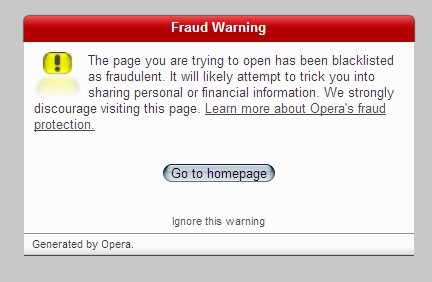
Heh, That fraud warning happens on any page that's being viewed using Google's Cache. I hope that they fix that problem soon.

Ralf Maximus

  • Supporting Member
  • Joined in 2007
  • **
  • Posts: 927
    • Coding Snacks
Weasels.  I intentionally went to the cache for the highlighting.

alexbohl

  • Participant
  • Joined in 2007
  • *
  • Posts: 2
Dont know where the problem is...

Just create StartHidden.vbs and put in the following 2 lines:

Set WindowsShell = WScript.CreateObject( "WScript.Shell" )
WindowsShell.Run "c:\Hiddenstart\deleteTask.bat",0,True

In deleteTask.bat u can remove folders with:
RD C:\temp /Q /S

or using the mentioned DelAge32 programm from Horst Scheaffers.

U may add logs with:
echo Task started %date% %time% >>logfile.log

then put the vbs in taskmanager. the batch will be started
without window.

Alex

Original address: https://www.donationcoder.com/forum/index.php?topic=10419.0