
Description
- Allows you to have a simple, compact, no frills file launch tool on your computer or as an autorun menu on your cd/flash drive if the target computer handles auto running them.
New in 2.1.0 build 5
- Fix for button caption new lines. Use backslash followed by an n for each new line you want in the button caption.
Features
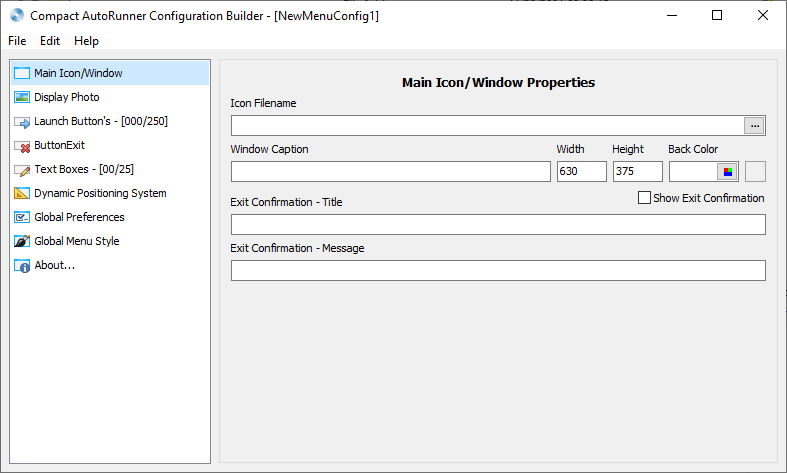
- Comes with a configuration builder for helping you build menus. (As pictured above.)
- The configuration builder has a dynamic positioning system for the form size, the button sizes, the text box sizes and positions of each.
- 250 button’s are the max per configuration file but you can get around the limit using the page launch type.
- 25 text boxes are the max per configuration file but you can also use a button with page launch type to display another page with 25 more.
- Ability to launch command line arguments with files.
- ConfigBuilder: Import v1 menu files as the menu configuration files are xml instead of ini which started with version 2+.
- ConfigBuilder: Shift+Drag to swap buttons/text boxes and Ctrl+Drag to move the button/text box. (For organizing the configuration file.)
- ConfigBuilder: Includes an alternate option to style your menus.
- System Requirements are Windows XP/VISTA/7/8/10/11.
- NOTE: Does not need any programming runtimes as it was not coded in .NET Framework.
Additional Screenshots
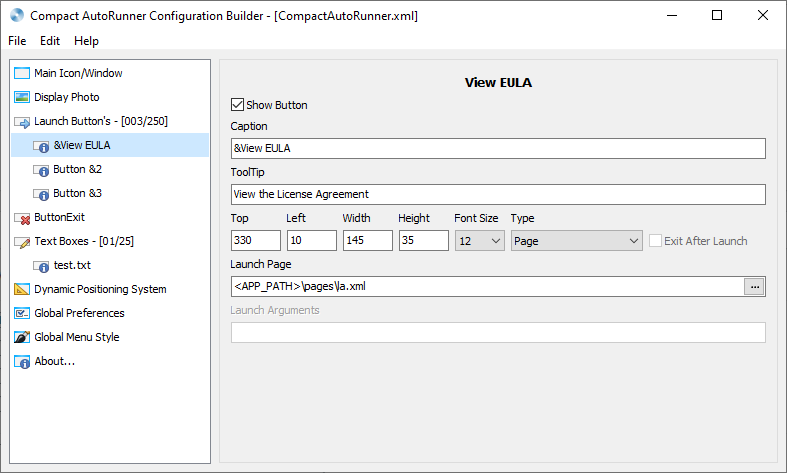
Screenshot of Compact AutoRunner Configuration Builder
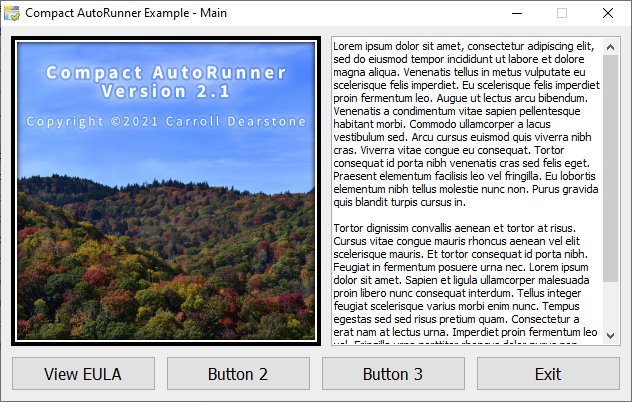
Screenshot of Compact AutoRunner
- Version 2.1.0 build 5
- Downloads 14008
- File Size 6.14 MB
- File Count 1
- Create Date Wednesday, January 5, 2022
- Last update 2022-01-05 15:15:25
- Last Updated Tuesday, May 24, 2022