DonationCoder.com forum
 
Read-only archive. This is a static copy of the DonationCoder.com forum. Reading and searching work as before; logging in, posting and private messages do not.
Archive of 2026-10-21 · About this archive · Main site

Author Topic: is there a slim text editor with a nice zoom feature?  (Read 15,705 times)

brotherS

  • Master of Good Ideas
  • Honorary Member
  • Joined in 2005
  • **
  • Posts: 2,261
is there a slim text editor with a nice zoom feature?
« on: January 16, 2007, 04:48 PM »
Maybe it's only me, but I'd *really* like a text editor (free and fast if possible) that offers some kind of customizable zoom feature, like Word or Firefox for example. More like Firefox, which allows to increase/decrease with "Ctrl and +"/"Ctrl and -", would be best.

Is there something like that? Maybe even with nice little features like "ESC works like Alt+F4 key combination" like win32pad (http://www.donationcoder.com/forum/index.php?topic=1000.0)?
Thank you.
« Last Edit: January 16, 2007, 04:50 PM by brotherS »

f0dder

  • [Well, THAT escalated quickly!]
  • Charter Honorary Member
  • Joined in 2005
  • ***
  • Posts: 9,153
    • Participated in NANY Challenge Once
Re: is there a slim text editor with a nice zoom feature?
« Reply #1 on: January 16, 2007, 09:47 PM »
Notepad++ has some zooming with ctrl+mousewheel - dunno if it's suitable for you. Re-mappable hotkeys as well.
- carpe noctem

Darwin

  • Charter Member
  • Joined in 2005
  • ***
  • Posts: 6,985
    • Gathering Badge
Re: is there a slim text editor with a nice zoom feature?
« Reply #2 on: January 16, 2007, 10:44 PM »
There's a notepad editor replacement on http://www.giveawayoftheday.com today - don't know if it is any good or not as I already have ultraedit installed. It's GridinSoft Notepad Pro, more info at their homepage: http://notepad.gridinsoft.com/

PS I am finding it IMPOSSIBLE to assign text to hyperlinks these days - has there been some change?
"Some people have a way with words, other people,... oh... have not way" - Steve Martin
« Last Edit: January 16, 2007, 10:48 PM by Darwin »

f0dder

  • [Well, THAT escalated quickly!]
  • Charter Honorary Member
  • Joined in 2005
  • ***
  • Posts: 9,153
    • Participated in NANY Challenge Once
Re: is there a slim text editor with a nice zoom feature?
« Reply #3 on: January 16, 2007, 11:04 PM »
text/hyperlink works fine here, I use <url=http://blah>text</url> - with square brackets instead of angular ones, of course.
- carpe noctem

Darwin

  • Charter Member
  • Joined in 2005
  • ***
  • Posts: 6,985
    • Gathering Badge
Re: is there a slim text editor with a nice zoom feature?
« Reply #4 on: January 17, 2007, 12:22 AM »
hmm... let's try GiveAwayoftheDay f0dder, your notation works and is different from what I was doing in ONE way: I was using <url>=http://blah>text</url>. That extra bracket after the first url was killing me! So simple a solution to a problem that has plagued me for months!

Thanks!
"Some people have a way with words, other people,... oh... have not way" - Steve Martin
« Last Edit: January 17, 2007, 12:25 AM by Darwin »

Lashiec

  • Member
  • Joined in 2006
  • **
  • Posts: 2,374
Re: is there a slim text editor with a nice zoom feature?
« Reply #5 on: January 17, 2007, 10:28 AM »
GridinSoft Notepad Pro... It's not exactly top quality software if you compare it to UltraEdit, not even against PSPad... Doesn't this one have this kind of feature? Or TEDNotepad maybe. I don't have these around to tell (the closest thing to a text editor I have right now is either plain Notepad or BlueJ...)

Nighted

  • Meat Popsicle
  • Charter Honorary Member
  • Joined in 2005
  • ***
  • Posts: 572
Re: is there a slim text editor with a nice zoom feature?
« Reply #6 on: January 25, 2007, 09:41 AM »
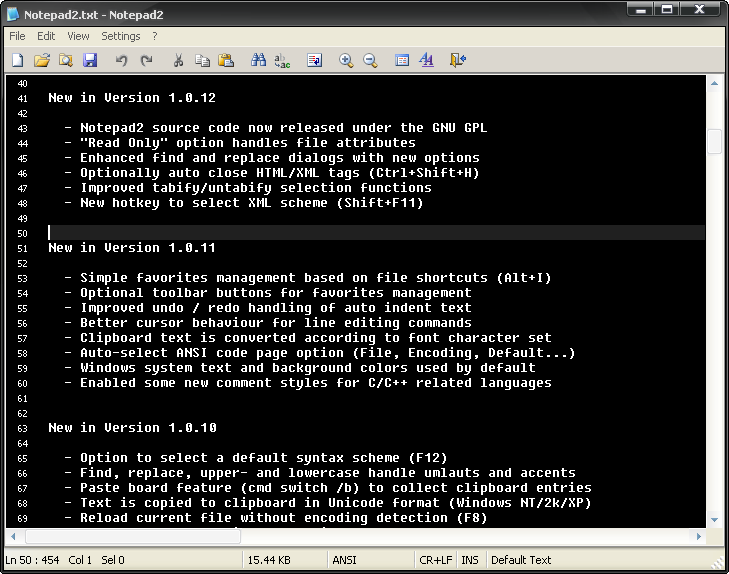
Wow, no one mentioned Notepad2. You can use the keyboard and the toolbar to zoom. Also has decent syntax schemes.

I`m a firm believer in the philosophy of a ruling class, especially since I rule.
« Last Edit: January 25, 2007, 09:44 AM by Nighted »

urlwolf

  • Charter Member
  • Joined in 2006
  • ***
  • Posts: 1,837
    • Gathering Badge
    • Linux User
Re: is there a slim text editor with a nice zoom feature?
« Reply #7 on: January 25, 2007, 11:37 AM »
vim. You can map font sizes and window sizes to keyboard shortcuts.
Just add a map command to your vimrc (the file that contains the settings).

jgpaiva

  • Artificial Idiocy
  • Global Moderator
  • Joined in 2006
  • *****
  • Posts: 4,727
    • Cody Award
    • Participated in NANY Challenge Once
    • Coding Snacks
    • Portugal Inhabitant
    • Linux User
Re: is there a slim text editor with a nice zoom feature?
« Reply #8 on: January 25, 2007, 12:11 PM »
vim. You can map font sizes and window sizes to keyboard shortcuts.
That's interesting, i was just now looking for something like that for vim. Unfortunatelly, couldn't find any plugin for it. :(

urlwolf

  • Charter Member
  • Joined in 2006
  • ***
  • Posts: 1,837
    • Gathering Badge
    • Linux User
Re: is there a slim text editor with a nice zoom feature?
« Reply #9 on: January 25, 2007, 05:01 PM »
vim. You can map font sizes and window sizes to keyboard shortcuts.
That's interesting, i was just now looking for something like that for vim. Unfortunatelly, couldn't find any plugin for it. :(

yes, you can do things like:
set guifont=Lucida\ Console:11
where  11 is font size.

And

Code
function! Smallfonts()
	setlocal textwidth=0
	set guifont=Andale_Mono:h7:cANSI
   set columns=196
   set lines=62
endfunction

map <F5> : call Smallfonts()<CR>
[\code]
I can code with fonts that small, because I like to get as much text as possible. Actually, an editor that had a two page view (or multicolumn) would be great, I kind of fake that with two windows editing the same buffer.

Original address: https://www.donationcoder.com/forum/index.php?topic=7041.0