Good Day!
Yesterday i downloaded and installed and read the info about the latest version of this WONDERFULL program.
i looked at the hotkey for capturing active window and what was written:
"[MinorChange] Changed default hotkey for capturing active window to Ctrl+PrtScr (the previous default of Alt+PrtScr was very stupid decision since the Alt key can activate menus)"
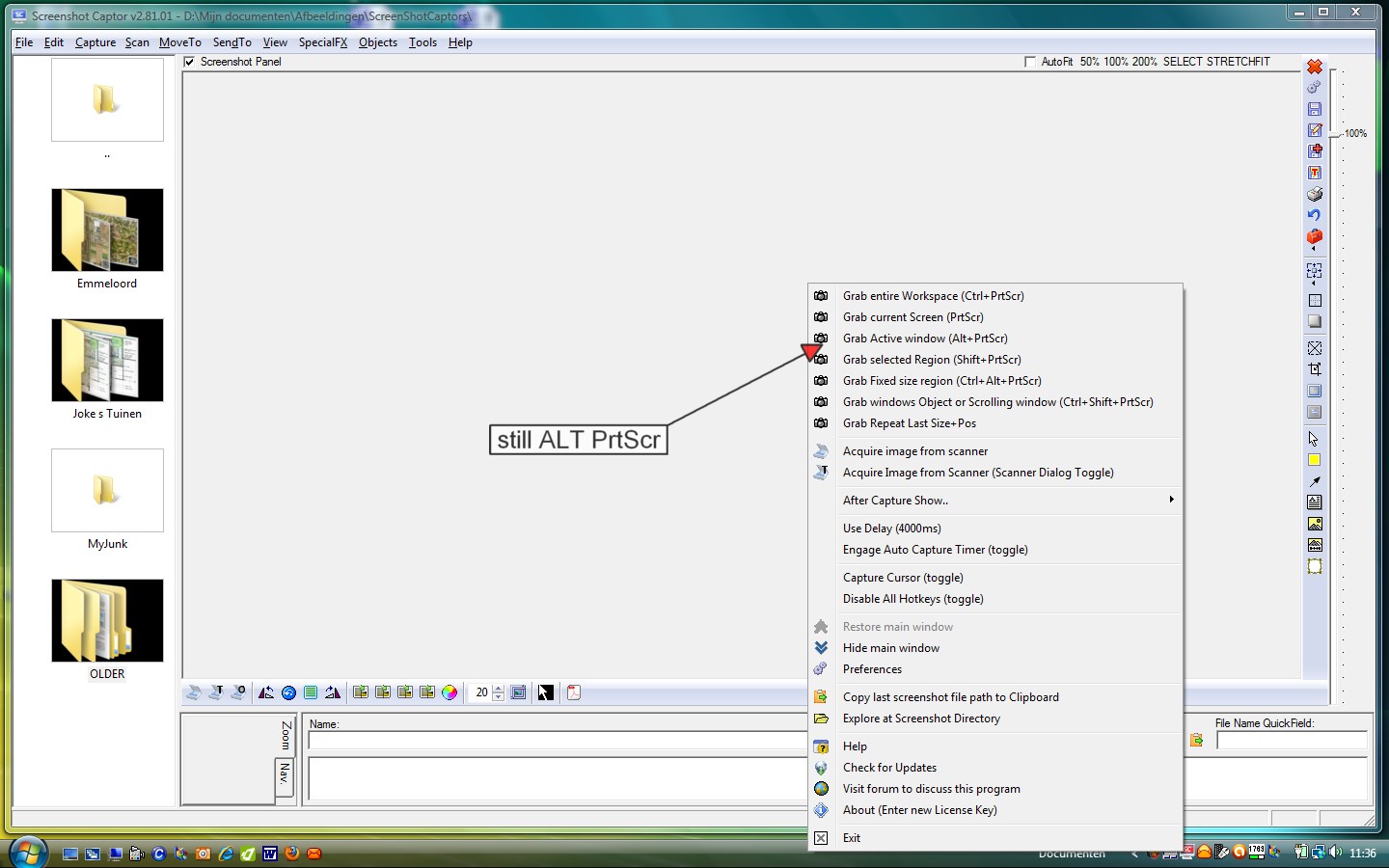
But .. when i use my right mouse on the icon, next to the clock i can still see 'Alt+PrtScr' ..... (see attachment).
Do i have to change something over here in the computer or something else?
Thanks for help and ... have a really nice day!
Hippodrome (i like Hippo's).
Yesterday i downloaded and installed and read the info about the latest version of this WONDERFULL program.
i looked at the hotkey for capturing active window and what was written:
"[MinorChange] Changed default hotkey for capturing active window to Ctrl+PrtScr (the previous default of Alt+PrtScr was very stupid decision since the Alt key can activate menus)"
But .. when i use my right mouse on the icon, next to the clock i can still see 'Alt+PrtScr' ..... (see attachment).
Do i have to change something over here in the computer or something else?
Thanks for help and ... have a really nice day!
Hippodrome (i like Hippo's).