If you like, you can have Screenshot Captor display a quick PopUp Dialog after you perform a screenshot:
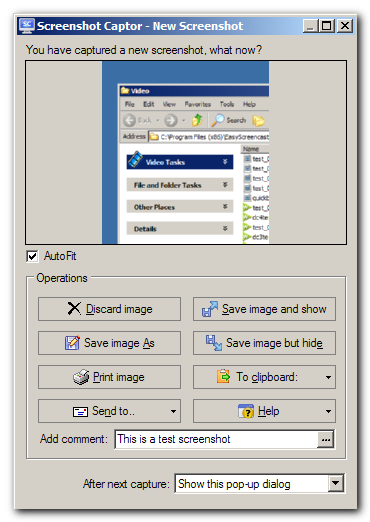
This resizable dialog will let you quickly preview screenshots and decide whether to save, discard, print, perform clipboard operations, and more without ever opening up the main Screenshot Captor Window.
You select to display the popup dialog either from the tray menu near top, or options dialog on the On Capture tab -- and you can change whether it's display right from the dialog itself (at the bottom).
If you specify a comment here, the comment will be added as text inside the image file in the comment field (editable from the main interface), and will be printed as part of the image caption when printing (by default); if you like you can also configure Screenshot Captor to add a visible caption to the image from your comment.
You can also just hit Alt+ LETTER corresponding to your choice rather than using the mouse to click buttons.