LATEST OFFICIAL RELEASE:
 Download v2.11.01
- (or get the portable zip)
- Apr. 23, 2009 - 2K/XP/Win7/Win10
HOME USERS:
 Get a free license key
 Donate to author
COMMERCIAL USERS:
 Learn about our commercial / site licenses
HELP AND ASSISTANCE:
 View help/changelog
 Discuss on forum
REVIEWS AND AWARDS:
ADDON DOWNLOADS:
Occasionally a friend of DC without a web site will release a program and ask us to host it. We've create the Miscelaneous Member Software Archive for this purpose.
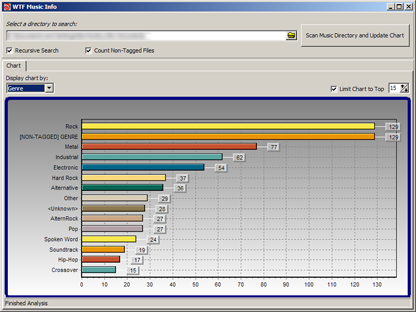
There you will find some programs by DC member seedling, including: Random MixTape Maker, which takes a large collection of your mp3 files and creates playlists with a specified target duration; WTF Music Info, which will scan your music directories and give you a nice, graphical view of your music library.
- Number of programs available: 3
- Last updated: 2008
- Visit the miscelaneous DC member archive page to browse apps and download them here: http://www.dcmembers.com/archive.
Process Tamer is a tiny (140k) and super efficient utility for Microsoft Windows XP/2K/NT/Vista/Win7 that runs in your system tray and constantly monitors the cpu usage of other processes. When it sees a process that is overloading your cpu, it reduces the priority of that process temporarily, until its cpu usage returns to a reasonable level.
There are many times when a process will hog your cpu, such as when converting audio/video files, or working with compressed archives. Because these processes completely consume the cpu, your system becomes sluggish to respond and using the computer for other tasks becomes impossible while these processes are running.
Process Tamer solves this problem by identifying such degenerate conditions and temporarily reducing the priority of the offending processes in order to allow your system to respond to other requests. Stop being a victim to an overloaded cpu - let Process Tamer keep your system responsive no matter what you're doing.
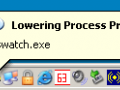
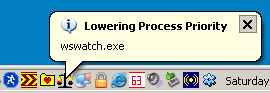
You'll see a balloon tooltip in your system tray whenever Process Tamer adjusts or restores the priority of an application, so you'll always know what it's doing and why.
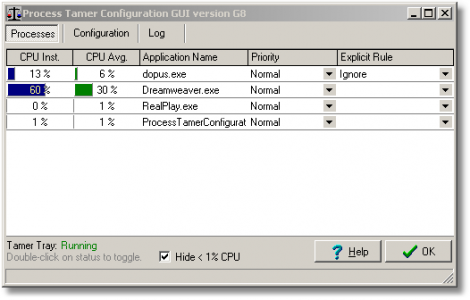
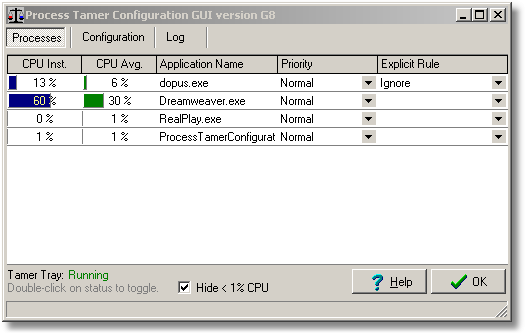
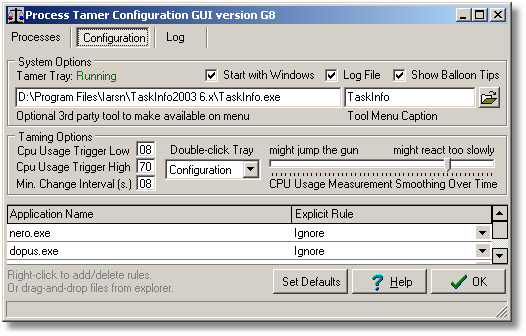
Of course there are times when you probably won't want Process Tamer to change process priorities, such as when playing games or if you are burning a cd/dvd on a slow computer; just double click its icon to toggle it on and off. Or you can also specify override rules for specific applications in order to tell the program to ignore them, force them to high or low priorities, or even to kill them as soon as they are found running.
The new version 2 release includes a new separate standalone configuration tool which lets easily setup exclusion rules, manually adjust process priorities, and more, without affecting the efficiency and resource use of the resident system tray tool.