LATEST OFFICIAL RELEASE:
 Download v1.00.00
- (or get the portable zip)
- Mar 25, 2013 - 2k/XP/VISTA/Win7/Win8
HOME USERS:
 Get a free license key
 Donate to author
COMMERCIAL USERS:
 Learn about our commercial / site licenses
HELP AND ASSISTANCE:
 View help/changelog
 Discuss on forum
Toddler Trap: I don't have to worry anymoreMy nephew is sometimes coming over and I would accept any bet that he is heading straight towards the computer pressing buttons and moving the mouse around. This can cause some irritation and probably damage and I finally found a way to stop him. This is actually helpful in numerous ways, have you ever tried watching a movie with a kid on the computer? Then I discovered Toddler Trap by Skrommel a member of Donation Coder.. So, whenever he comes the first thing I do is start up Toddler Trap and let him have his fun. I don't have to worry anymore and he is happy.

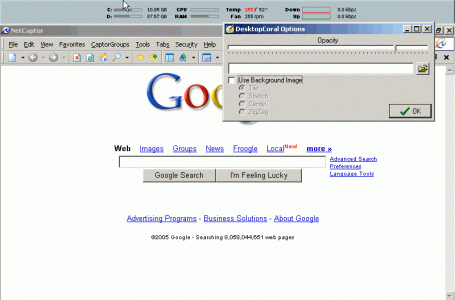
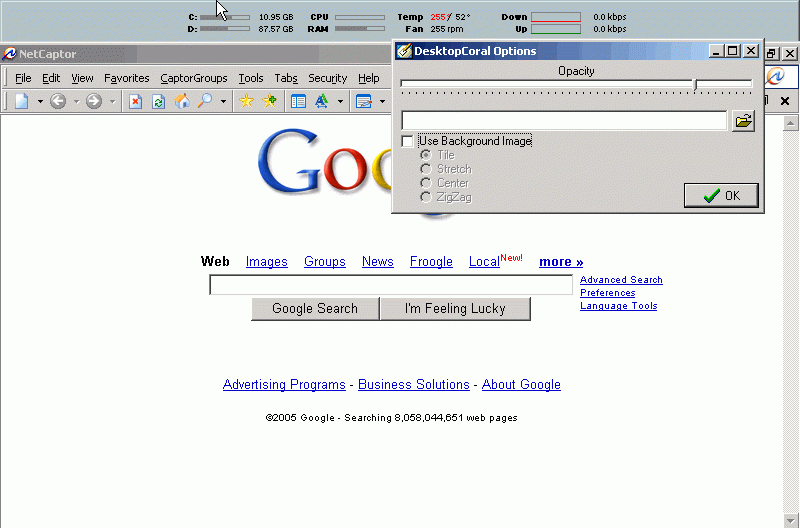
DesktopCoral is an unusual program designed to "reserve" some portion of your desktop which is shielded from maximized applications..
Essentially, it acts like an invisible resizeable docking bar, which can be docked to any side of your desktop. This invisible dock acts as a barrier to maximized applications and essentially shields this area of your desktop from other applications.
Within this shielded area you might put certain application windows that you want to be always visible, or you might put one of the many desktop tools like a calendar or system information component.
Why would you need a tool like DesktopCoral?
DesktopCoral was requested by someone who uses the Samurize desktop system information utility. This fun utility and others like it draw text and graphics on top of your desktop. But when working with other programs, this information can be covered by these other windows. DesktopCoral solves this problem by reserving an area of your desktop where normal programs will not be expanded into.