|
wraith808
|
 |
« on: February 23, 2011, 11:37:58 PM » |
|
We have the show us the view outside of your window (I don't have one in my office, so that's what I haven't posted to that thread), and were talking about desktops, so I figured I'd start this thread. To be clear, we're talking about your OS desktop, not your hardware.  I'll start it off. I like a pretty clean desktop, so I don't like icons showing. My wallpaper changes constantly (I use wallpaper cycler), so the actual image is different at any given time. But the big thing I use is WinStep Extreme with the Windows 7 theme (it's actually running Vista)... NeXTStart, NeXuS, and Workshelf, along with the module for the time.  Full Desktop  NextStart Start Menu  NeXuS  WorkShelf Anyone else game?
|
|
|
|
« Last Edit: January 17, 2012, 04:18:44 PM by wraith808 »
|
Logged
|
|
|
|
|
PhilB66
|
 |
« Reply #1 on: February 24, 2011, 12:26:20 AM » |
|
|
|
|
|
|
Logged
|
|
|
|
|
app103
|
 |
« Reply #2 on: February 24, 2011, 12:58:47 AM » |
|
Even though we already have an old thread for this, I think a new one might encourage some updated screenshots from everyone, so here's mine... Main PC (hasn't changed much)  with taskbar showing:  This dual boots with Ubuntu, but for some reason it is not cooperating today and won't let me make a screenshot, and I can't be bothered to figure out what its problem is right now. But this is what it looked like the last time I made a screenshot:  And my other PC which has been annexed by my daughter for the last 6 months. This one replaces the old snail, which has been permanently retired (I hope).  And with taskbar showing: 
|
|
|
|
|
Logged
|
|
|
|
|
|
nudone
|
 |
« Reply #3 on: February 24, 2011, 03:57:37 AM » |
|
hmm, interesting. I may look at WinStep again now that i've seen those screenshots. (I know you recommended it, wraith, in another thread but i'd become too disillusioned to give it another go at that time.)
|
|
|
|
|
Logged
|
|
|
|
|
nosh
|
 |
« Reply #4 on: February 24, 2011, 05:01:47 AM » |
|
|
|
|
|
|
Logged
|
|
|
|
|
AndyM
|
 |
« Reply #5 on: February 24, 2011, 09:59:24 AM » |
|
Nosh, how do you write on your screen?
|
|
|
|
|
Logged
|
|
|
|
|
|
|
PhilB66
|
 |
« Reply #7 on: February 24, 2011, 10:22:47 AM » |
|
|
|
|
|
|
Logged
|
|
|
|
|
PhilB66
|
 |
« Reply #8 on: February 24, 2011, 10:26:45 AM » |
|
@Stephen66515 Looks like you got a lot of junk from the Burn4Free installation 
|
|
|
|
|
Logged
|
|
|
|
|
Stephen66515
|
 |
« Reply #9 on: February 24, 2011, 10:32:38 AM » |
|
@Stephen66515 Looks like you got a lot of junk from the Burn4Free installation  Yep, not got around to removing it yet lol
|
|
|
|
|
Logged
|
No trees were harmed during the creation of this message. Millions of electrons, however, were terribly inconvenienced
|
|
|
|
nosh
|
 |
« Reply #10 on: February 24, 2011, 11:18:57 AM » |
|
PhilB66, thanks! Nosh, how do you write on your screen?
iPad *ducks*
|
|
|
|
|
Logged
|
|
|
|
|
AndyM
|
 |
« Reply #11 on: February 24, 2011, 11:19:24 AM » |
|
Thanks
|
|
|
|
|
Logged
|
|
|
|
|
bscott
|
 |
« Reply #12 on: February 24, 2011, 11:29:11 AM » |
|
 I prefer the minimalist look.
|
|
|
|
« Last Edit: February 24, 2011, 11:33:16 AM by bscott »
|
Logged
|
|
|
|
|
Stoic Joker
|
 |
« Reply #13 on: February 24, 2011, 06:40:21 PM » |
|
I can't find my Desktop... 
|
|
|
|
|
Logged
|
|
|
|
|
app103
|
 |
« Reply #14 on: February 24, 2011, 06:43:21 PM » |
|
I can't find my Desktop...
Win + M will make it Magically appear. 
|
|
|
|
|
Logged
|
|
|
|
|
timns
|
 |
« Reply #15 on: February 24, 2011, 06:52:57 PM » |
|
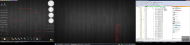
Well, you've shown me yours, so I'd better show you mine:  I have 3 screens in a row, and I use them in a very strict way. Left Monitor: this is my "info screen". At a glance I have time, date, system status, etc. I also keep my browsers, todo list, and scratchpad over here. Middle Monitor: this is where I have my IDEs, CRM, email etc. to hand. Right Monitor: this is the DOpus, SQL and message screen. Calls, skypes etc. appear here, and this is where all the filing, copying, uploading etc. goes on. And random deletions from important client databases.  I should make a special mention of a couple of things that didn't show up on the screen: FARR of course, and skwire's marvellous DropMove thingy. 
|
|
|
|
|
Logged
|
|
|
|
|
nudone
|
 |
« Reply #16 on: February 25, 2011, 04:41:24 AM » |
|
very interesting. i think i need to create a similar system using specific screens for set tasks.
|
|
|
|
|
Logged
|
|
|
|
|
DJ Azero
|
 |
« Reply #17 on: February 25, 2011, 06:56:12 AM » |
|
Win + M will make it Magically appear.  No-no-no! Use Win + D, as Win-d-ows. Use it twice.  Greetings from winter Siberia!  OpenBSD4.8 at 486DX, stupid shit-code and dark theme inside. %) 
|
|
|
|
|
Logged
|
|
|
|
|
app103
|
 |
« Reply #18 on: February 25, 2011, 07:02:02 AM » |
|
Win + M will make it Magically appear.  No-no-no! Use Win + D, as Win-d-ows. Use it twice.  Win+M minimizes everything that can be minimized, without affecting the z-order of desktop widgets. Win+D changes the z-order and makes the desktop topmost, which messes up all my desktop widgets, pushing them below the desktop (this can even make some of them, like Yahoo Widgets, crash)
|
|
|
|
|
Logged
|
|
|
|
|
DJ Azero
|
 |
« Reply #19 on: February 25, 2011, 07:23:55 AM » |
|
Win+M minimizes everything that can be minimized, without affecting the z-order of desktop widgets. Yes, of course! "Win-D twice" - it's joke.  And my last shot.   Middle Monitor: this is where I have my IDEs, CRM, email etc. to hand Yeah. Temporarily it was necessary to switch the third monitor to server with very low health. I feel as without hands. Windows the friend on the friend. I do not understand, how I lived about five years ago with one monitor? %)))) P.S. Sorry, I'm don't speak in English, only absolutely poor. I am able to read documentation only.
|
|
|
|
« Last Edit: February 25, 2011, 07:47:17 AM by DJ Azero »
|
Logged
|
|
|
|
|
mouser
|
 |
« Reply #20 on: February 25, 2011, 09:15:24 AM » |
|
dj, we try to avoid linking to external images -- can you attach your images to your posts instead of linking to offsite images?
|
|
|
|
|
Logged
|
|
|
|
|
DJ Azero
|
 |
« Reply #21 on: February 25, 2011, 09:26:45 AM » |
|
Ou, sorry, Captain!  No problem! At my forums on the contrary - freespace on hosting = money. But - your ruleses is your ruleses.  I have come on a forum to find personally you. I want to offer translation into Russian of your super utilities which I use. And as their advertizing among the friends (cowboys of the keyboards(as I) and fans of these great small tulz). I can be useful to you? I am sorry for an offtopic - but whether I can be moved to your private mail? P.S. My translation from English to Russian a googol times better than from Russian into English (even by means of Google). =))
|
|
|
|
« Last Edit: February 25, 2011, 09:28:25 AM by DJ Azero »
|
Logged
|
|
|
|
|
timns
|
 |
« Reply #22 on: February 25, 2011, 10:06:15 AM » |
|
Welcome to DC, DJ Azero. Nice to see the old traditional meaning of 'googol' there  (correct me if I'm wrong, but wasn't "googol" the first $1,000,000 answer on 'Who Wants to be a Millionaire?')
|
|
|
|
|
Logged
|
|
|
|
|
DJ Azero
|
 |
« Reply #23 on: February 25, 2011, 10:13:05 AM » |
|
correct me if I'm wrong, but wasn't "googol" the first $1,000,000 answer on 'Who Wants to be a Millionaire?' Oh, no! =)) Simple, I very like astronomy and astronomical big values! :-) In Russia today has transited news that the first system where two planets rotate in one orbit is opened. In FIDO while was nothing.  (this message writen without google.translate, skill up!) =)) UPD: I have just now understood that was frightened. As a DC at us is called in the country Moscow(DC == Default City).  ))
|
|
|
|
« Last Edit: February 25, 2011, 11:19:38 AM by DJ Azero »
|
Logged
|
|
|
|
|
wraith808
|
 |
« Reply #24 on: January 17, 2012, 04:11:13 PM » |
|
This thread didn't seem to take off like I thought it might. But I took a screen shot of my desktop while I was messing around with some new programs, and forgot to post it.  My changes since last time: 1. Still using Nexus, though I dumped the rest of the WinStep suite since I'm actually on Windows 7 now. 2. I'm now using Rainmeter for the widgets on the desktop; just a kitbash of things I found here and there. 3. The wallpaper now cycles through images that would look like I'm flying through space. 4. I'm using Stardock Tiles on the left. I liked it so much, I bought the non-freeware version. I recommend checking it out- hard to explain, but the site has a video that does marginally better than I at doing so. Anyone else?
|
|
|
|
|
Logged
|
|
|
|
|